GPT Image 2 for E-Commerce Sellers: One Prompt, One Product Shot
Phone showing a product page + real products scattered on the desk — this is your one-person "photo team"
GPT Image 2 for E-Commerce Sellers: One Prompt, One Product Shot
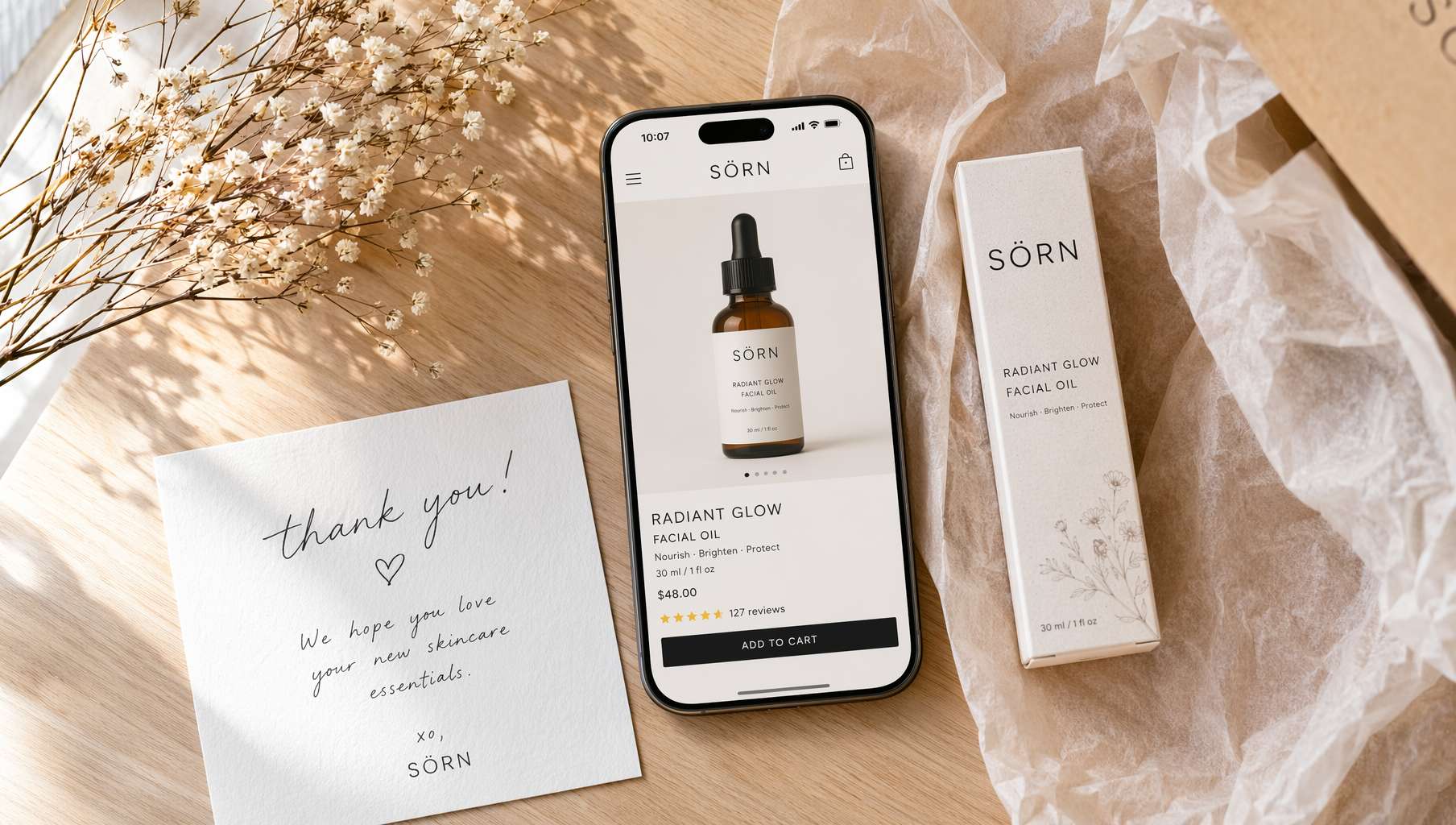 Phone showing a product page + real products scattered on the desk — this is your one-person "photo team"
One of the biggest headaches in e-commerce: product images.
Hero images need white backgrounds, lifestyle shots, and model photos. Detail pages need close-ups, comparisons, and mood shots. Every sale event demands banners, social media assets, and promotional posters. Hiring a photographer costs thousands. DIY Photoshop is slow and ugly.
GPT Image 2 changes the game.
Describe what you want in one sentence, and it delivers a commercial-grade product photo. Text accuracy above 95% — even brand names and prices on packaging render clearly. In the previous post, we covered GPT Image 2's viral creative styles. This one is written specifically for e-commerce sellers — following the sales funnel from hero images to detail pages to promo materials, with a copy-paste prompt template for every step.
1. Hero Images: White Background + Lifestyle
White Background Product Shots
E-commerce platforms (Amazon, Shopify, Etsy) almost universally require white-background hero images. Used to mean renting a studio or settling for amateur photos. Now, one prompt:
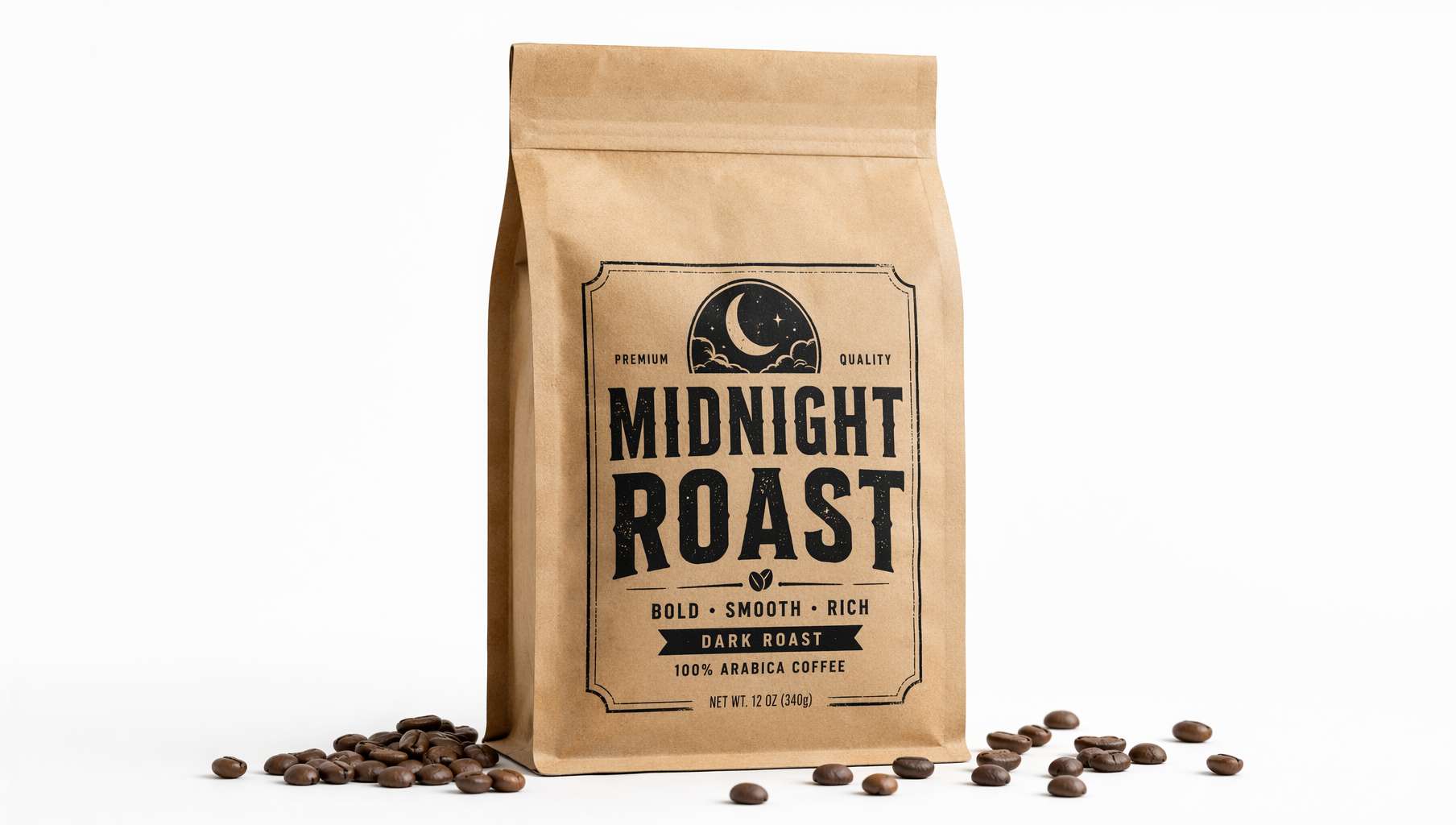 Kraft paper coffee bag — label text perfectly legible, realistic paper texture, scattered beans add authenticity
Prompt Template — White Background Product Shot:
A [material + color] [product name] standing upright on a clean white background. The front label reads "[brand/product name]" in [font style] typography. [1-2 accent items scattered at the base]. Realistic [material] texture, studio product photography with soft even lighting, e-commerce hero image style.
Actual example (the prompt used for the image above):
A clear brown kraft paper coffee bag standing upright on a clean white background, the front label reads MIDNIGHT ROAST in bold black vintage typography, a few roasted coffee beans scattered around the base, realistic paper texture and matte finish, studio product photography with soft even lighting, e-commerce hero image style.
Key tips:
clean white backgroundis the essential keyword for white-bg shotsstanding uprightkeeps the product facing the camerastudio product photography+soft even lightingensures studio quality- A few scattered props (coffee beans, petals, ice cubes) keep the image from looking sterile
Lifestyle / Scene Shots
White backgrounds are mandatory, but lifestyle shots are what make buyers click "Add to Cart."
Prompt Template — Lifestyle Shot:
A lifestyle product photograph of [product] in a [setting: kitchen counter / bathroom marble shelf / office desk / outdoor picnic]. [Usage scenario description]. [Lighting: natural morning light / warm afternoon sun / soft window light]. Shallow depth of field, lifestyle photography, warm and inviting mood.
Example:
A lifestyle product photograph of a ceramic pour-over coffee dripper on a sunny kitchen counter, freshly brewed coffee dripping into a handmade mug, steam rising, natural morning light from a window, shallow depth of field, lifestyle photography, warm and inviting mood.
2. Detail Page Images: Show Buyers the Details
The detail page has one job: eliminate doubt + spark desire. You need: feature close-ups, usage scenarios, and before/after comparisons.
Food Close-Ups / Feature Highlights
If you sell food, one mouthwatering close-up beats ten lines of copy:
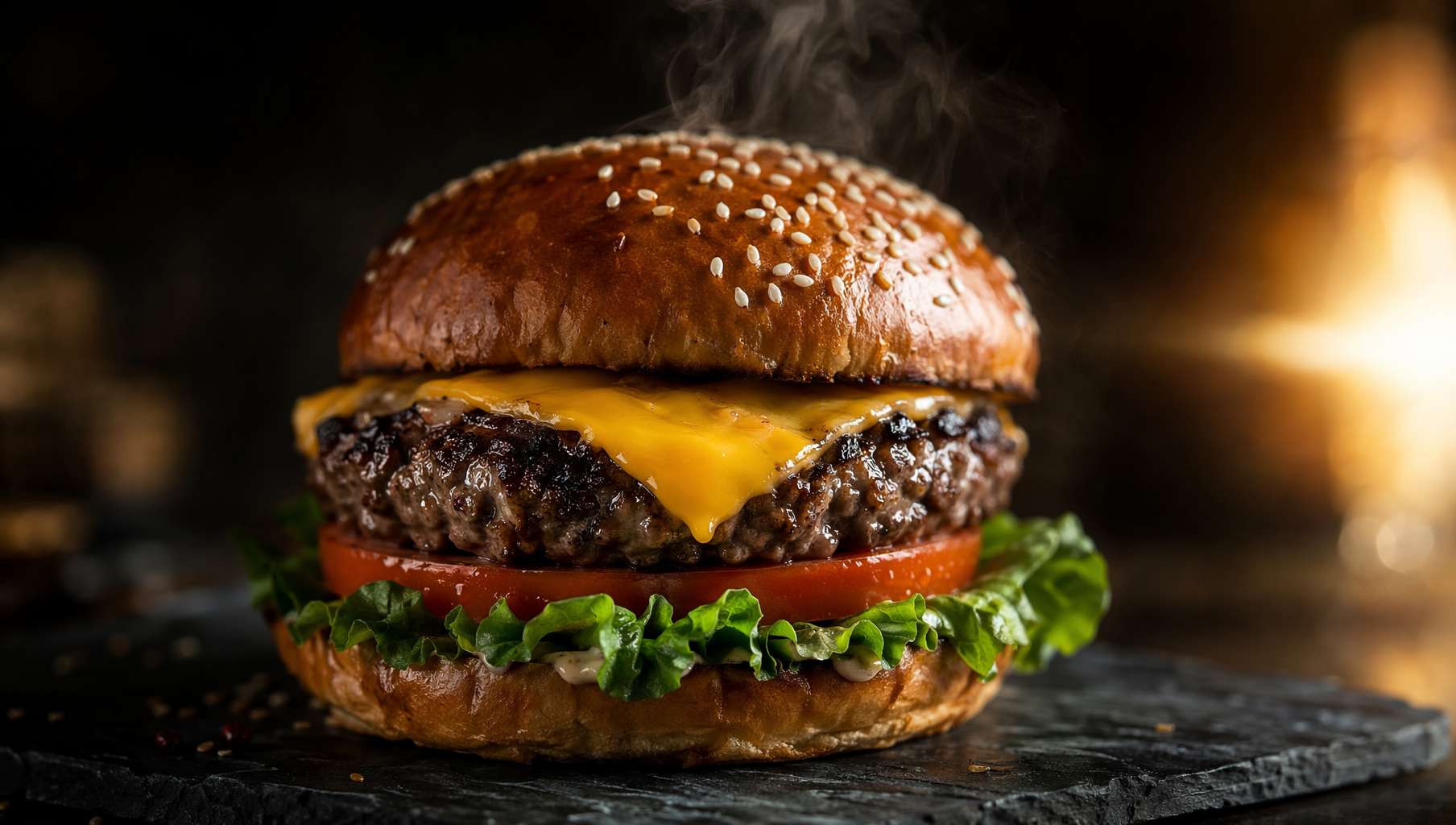 Cheeseburger commercial shot — stretchy melted cheese, rising steam, side lighting for depth
Prompt Template — Food Commercial:
A cinematic hero image of [food item] on a [surface: dark slate / rustic wooden board / white marble]. [Food details: melted cheese draping, crisp lettuce, glossy sauce]. Appetizing steam rising, warm side light from the right creating dramatic shadows, shallow depth of field, premium food commercial photography style.
Use cases:
- Restaurant delivery platform store images
- Food brand detail page banners
- Social media marketing posts
Before / After Comparison
Comparison images are conversion powerhouses, especially for beauty, cleaning, and fitness products.
Prompt Template — Comparison:
A split-screen image. Left side: [before state, describe the problem]. Right side: [after state, describe the improvement]. High-contrast colors, clean layout. Central text overlay in bright yellow: "[label, e.g. BEFORE / AFTER or THE FIX]".
Usage Scenario Shots
Help buyers imagine life after they own it.
Prompt Template — Usage Scenario:
A person [action using the product] in a [setting]. [Environment details]. Natural lighting, lifestyle photography, authentic and relatable mood. Shot on 50mm lens, shallow depth of field.
3. Promo & Ad Materials: No More All-Nighters Before Sales
Black Friday, Prime Day, Singles' Day… every major sale is a nightmare for your design team (or for you, doing it yourself). GPT Image 2 lets you create a full set of promo materials in 10 minutes.
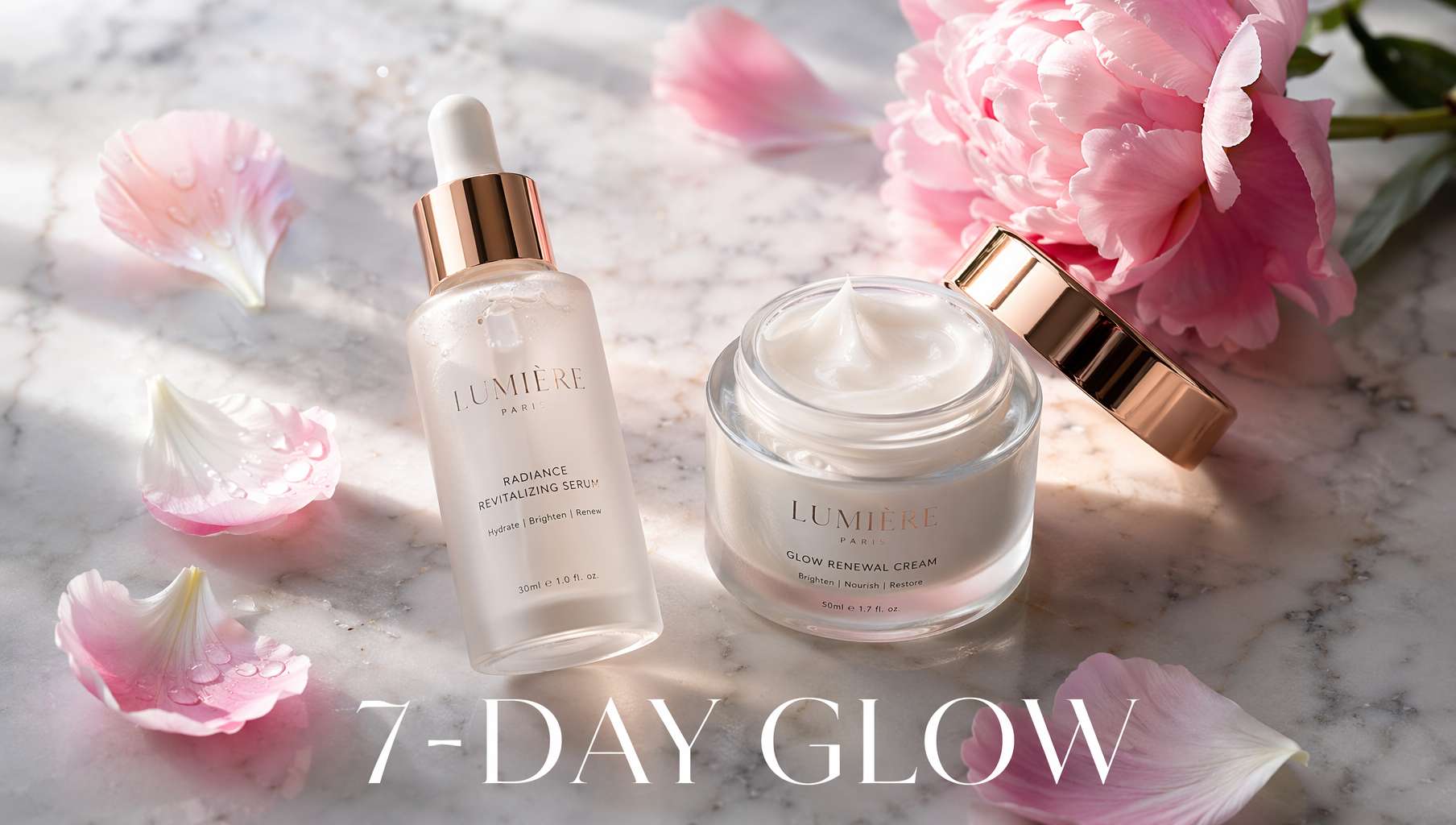 Skincare promo shot — marble surface, scattered petals, text clearly readable at the bottom
Prompt Template — Promotional Poster:
A [product type] flat-lay product photo on a [surface material] surface. [Product arrangement] arranged with [decorative elements: scattered pink peony petals / gold confetti / ice cubes]. Soft natural [lighting] light. Clean [font color] modern serif text at the bottom reading "[promo copy]". [Style] promotional style.
Prompt Template — Social Media Ad:
A 3D isometric illustration of [product/scene]. A glowing [core element] in the center with a 3D speech bubble saying "[ad copy]" in bold, clean 3D letters. [Color scheme] color palette. Soft clay-style render, high-quality 3D art, social media ad format.
Prompt Template — Holiday Campaign:
A festive product advertisement for [product]. [Holiday elements: red envelopes and gold coins for CNY / snowflakes and pine branches for Christmas / cherry blossoms for spring sale]. Product centered, [brand name] text in [font style]. Warm celebratory mood, [color palette], commercial poster style.
Money-Saving Tip
Getting the description right in one prompt is much cheaper than re-running five times. The core formula:
Product + Surface + Lighting + Props + Text + Style = One usable commercial shot
4. Packaging & New Product Concepts: Mockups Before Manufacturing
Launching a new product? Use AI to generate concept visuals before spending thousands on physical prototypes. Share them in your community to gauge market interest first.
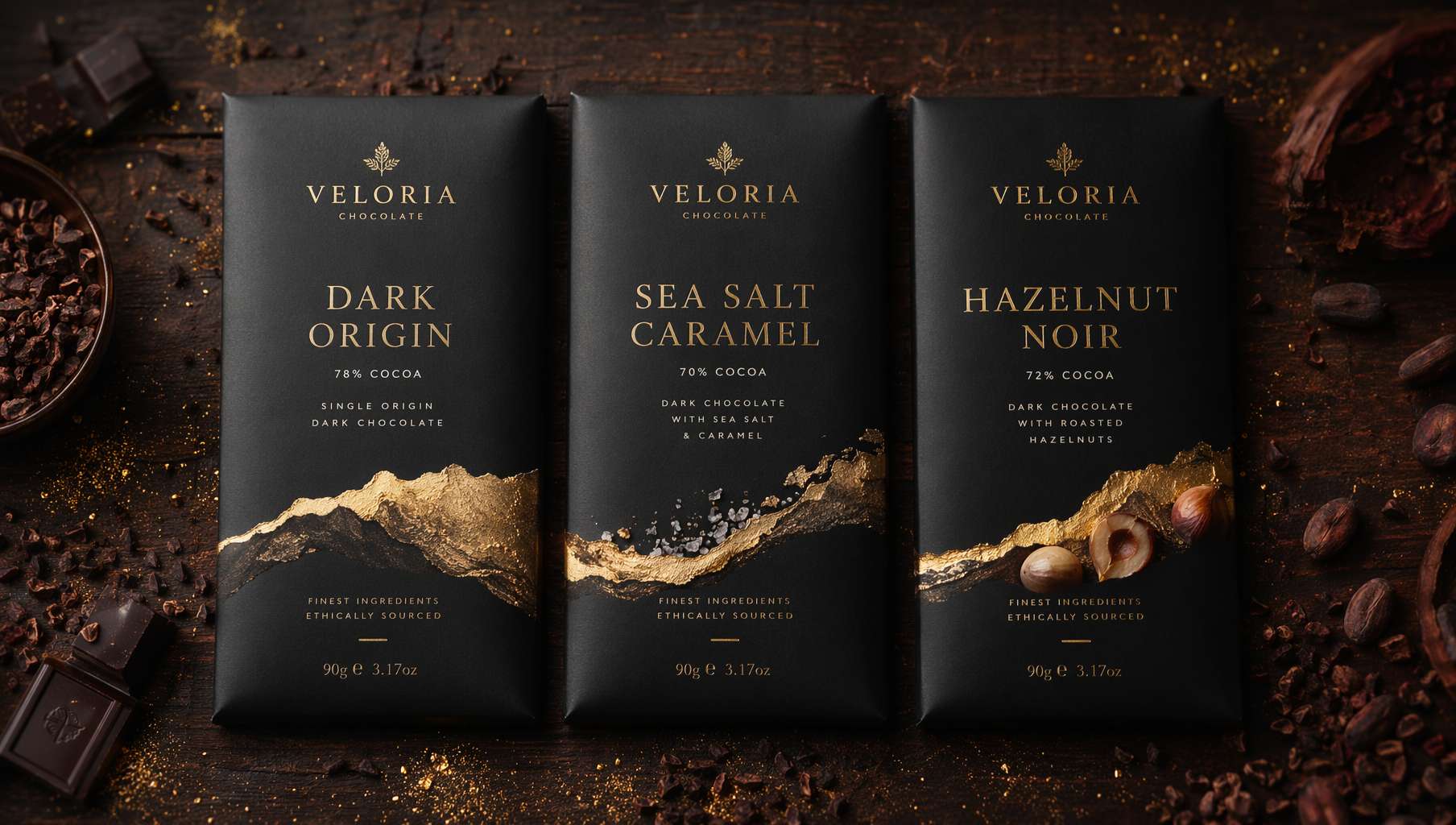 Fictional chocolate brand — three flavors side by side, matte black packaging with gold foil, text sharp enough to send straight to print
Prompt Template — Packaging Mockup:
A premium [product type] product lineup, [number] [products] side by side on a [surface]. Each with distinct [packaging description: matte black wrapper and gold foil accent], elegant [font style] typography showing [product/flavor names]. [Accent items] scattered around, moody warm studio lighting.
Prompt Template — Brand Mockup:
A flat-lay brand identity mockup on a [surface] desk. A [logo description] logo printed on business cards, a [product type] packaging bag, a branded [mug/notebook/sticker], all in [color scheme]. Soft overhead studio lighting, minimal clean composition, brand presentation style.
Real-world workflow:
- Generate 3–5 packaging concepts with GPT Image 2
- Share with your community and let followers vote
- Lock in the winner, then hand it to a designer for refinement and production
This beats the traditional process (designer creates 3 drafts → 5 rounds of revisions → physical prototype) by a full month.
5. E-Commerce Prompt Cheat Sheet
| Scenario | Core prompt fragments | Don't forget |
|---|---|---|
| White-bg hero | clean white background, studio product photography, soft even lighting | standing upright, material description |
| Lifestyle shot | lifestyle product photograph, natural morning light, shallow depth of field | Specific setting + usage action |
| Food close-up | cinematic hero image, appetizing steam, warm side light, food commercial | Ingredient details (stretchy cheese, glossy sauce) |
| Promo poster | flat-lay on [surface], text reading "[copy]", promotional style | Petals / gold foil / decorative elements |
| Comparison | split-screen image, left side [before], right side [after], high contrast | Text label in the center |
| Packaging concept | product lineup side by side, [material + colors], elegant typography | Flavor / series names as text |
| Social ad | 3D isometric illustration, speech bubble saying "[copy]", clay-style render | Color scheme + tagline |
Universal suffix (add to the end of any prompt):
photorealistic, high quality, 16:9 composition
For vertical formats (detail pages / social media), switch to:
photorealistic, high quality, 9:16 composition
Final Thoughts
For e-commerce sellers, GPT Image 2 isn't a toy — it's a productivity tool.
One person can now do what used to require a photographer, retoucher, and designer. Of course, AI-generated images can't fully replace real photography — platform policies, consumer trust, and legal compliance all matter. But in these scenarios, it's ready to deploy:
- New product testing: Use AI images to test market response. Go real once validated.
- Social media marketing: Speed is everything. AI images are fast to create and iterate.
- Last-minute sale assets: Need an extra banner? Done in 5 minutes.
- Bootstrap budgets: Just opened your store with no photography budget? AI fills the gap.
Getting started is simple: open ChatGPT, paste a template from above, and replace the [brackets] with your own product details. Your first image might not be perfect — two or three tweaks will get you something usable.
Resources
- Awesome GPT Image 2 API Prompts — E-commerce prompt collection organized by scenario
- EvoLinkAI Prompt Library — Updated daily, includes TVC storyboard templates
- awesome-gpt-image — Curated prompts from top creators on X
- OpenAI Official Prompting Guide
Written with pixocto · Images generated by GPT Image 2