
Image model
Nano Banana Pro AI Image Generator
Pixocto Nano Banana Pro — up to 14 reference images, 1K / 2K / 4K outputs for high-resolution AI image generation.
Popular ways to use this model
Real creations and prompts selected from the Pixocto gallery.
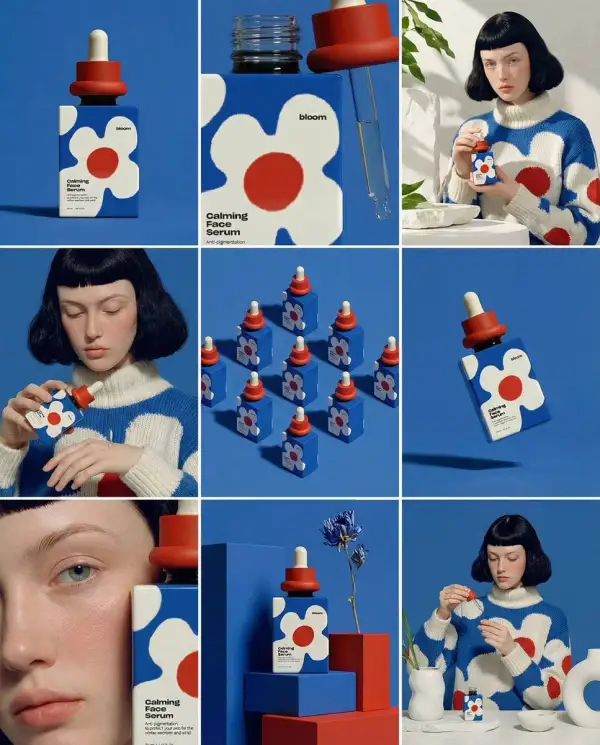
3x3 Storyboard Grid for Product Hero: Nine Panels, Consistent Brand Identity
Prompt: Create ONE final image. A clean 3×3 [ratio] storyboard grid with nine equal [ratio] sized panels on [4:5] ratio. Use the reference image as the base product reference. Keep the same product, packaging design, branding, materials, colors, proportions and overall identity across all nine panels exactly as the reference. The product must remain clearly recognizable in every frame. The label, logo and proportions must stay exactly the same. This storyboard is a high-end designer mockup presentation for a branding portfolio. The focus is on form, composition, materiality and visual rhythm rather than realism or lifestyle narrative. The overall look should feel curated, editorial and design-driven. FRAME 1: Front-facing hero shot of the product in a clean studio setup. Neutral background, balanced composition, calm and confident presentation of the product. FRAME 2: Close-up shot with the focus centered on the middle of the product. Focusing on surface texture, materials and print details. FRAME 3: Shows the reference product placed in an environment that naturally fits the brand and product category. Studio setting inspired by the product design elements and colours. FRAME 4: Product shown in use or interaction on a neutral studio background. Hands and interaction elements are minimal and restrained, the look matches the style of the package. FRAME 5: Isometric composition showing multiple products arranged in a precise geometric order from the top isometric angle. All products are placed at the same isometric top angle, evenly spaced, clean, structured and graphic. FRAME 6: Product levitating slightly tilted on a neutral background that matches the reference image color palette. Floating position is angled and intentional, the product is floating naturally in space. FRAME 7: is an extreme close-up focusing on a specific detail of the label, edge, texture or material behavior. FRAME 8: The product in an unexpected yet aesthetically strong setting that feels bold, editorial and visually striking. Unexpected but highly stylized setting. Studio-based, and designer-driven. Bold composition that elevates the brand. FRAME 9: Wide composition showing the product in use, placed within a refined designer setup. Clean props, controlled styling, cohesive with the rest of the series. CAMERA & STYLE: Ultra high-quality studio imagery with a real camera look. Different camera angles and framings across frames. Controlled depth of field, precise lighting, accurate materials and reflections. Lighting logic, color palette, mood and visual language must remain consistent across all nine panels as one cohesive series. OUTPUT: A clean 3×3 grid with no borders, no text, no captions and no watermarks.
Try this prompt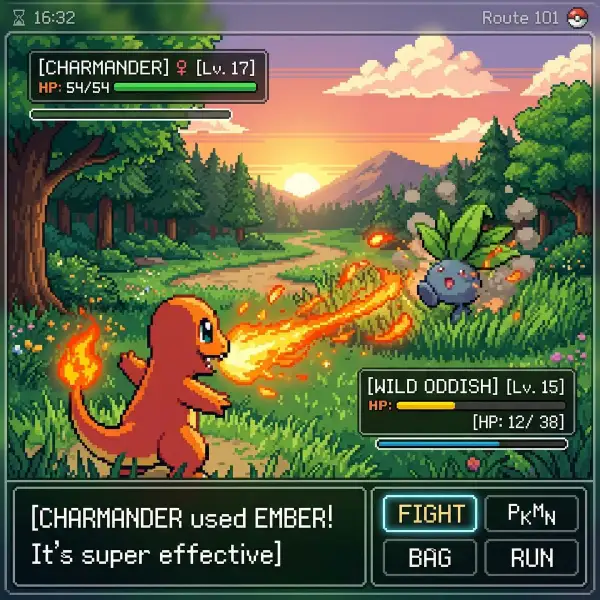
Pokemon Game Boy Style Pixel Art with Cool Move Effects and Minimal UI
Prompt: inspired by a classic pokemon gameboy screenshot but it's highly detailed beautiful pixel art, include cool effects from moves used, modern minimal ui
Try this prompt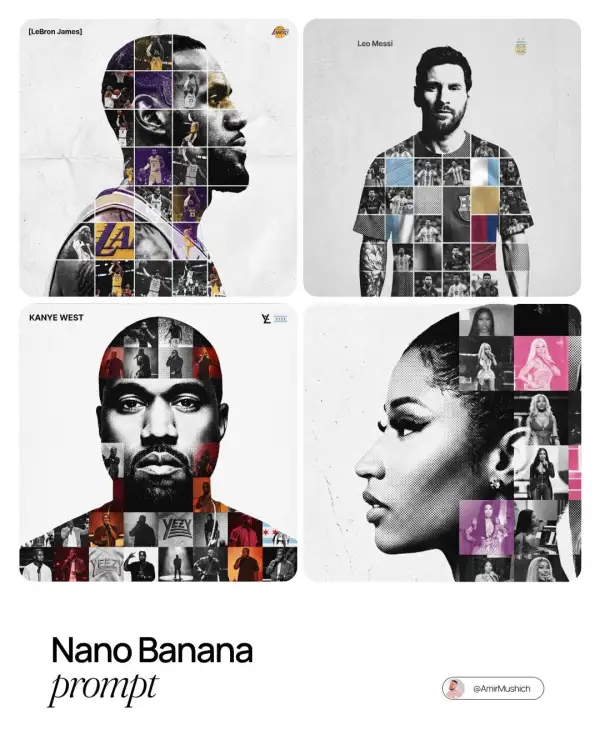
Dual-Exposure Photo-Grid Poster: A Sports Tribute Built Around a Monochrome Portrait
Prompt: [PERSON NAME]. Act as a high-end sports graphic designer creating a conceptual tribute poster. The style is a complex "dual exposure photo-grid composite" with mixed-media textures. CENTRAL STRUCTURE (THE VESSEL): The central focus is a large-scale, high-contrast black and white portrait silhouette of [PERSON NAME]. This main portrait acts as the container. THE GRID FILL & TEXTURES (MIXED MEDIA): The interior of the silhouette is populated by a dense "photo mosaic grid" of action shots from the person's career. CRITICAL TEXTURE INSTRUCTION: Do not just paste flat photos. Apply artistic textures to various grid cells to create a tactile, collage feel. Use effects like: Halftone Dots: Comic-book style raster patterns on some cells. Fabric/Embroidery: Subtle thread or canvas textures suggesting a jersey or patch. Film Grain: Heavy noise on specific high-contrast action shots. COLOR STRATEGY: The base is Monochrome B&W. Use selective color overlays (relevant to the team/flag) ONLY on specific grid cells to create a rhythm. TYPOGRAPHY & BRANDING (STRICT MICRO-SCALING): Top Left (The Name): Write "[PERSON NAME]" strictly using the font Inter Semibold. Kerning: Tight negative kerning (-4%). Size: SMALL and discreet. It must occupy MAXIMUM 20% of the canvas width. Do NOT make it large or loud. Top Right (The Symbol): Place the primary logo (Team/Brand/Flag). Size: VERY SMALL. It must occupy MAXIMUM 10% of the canvas width. COMPOSITION & BACKGROUND: Background: Off-white or light grey with a visible high-quality paper or concrete texture. It should not be flat digital white. Alignment: Center the figure perfectly. Maintain wide negative space around the object.
Try this prompt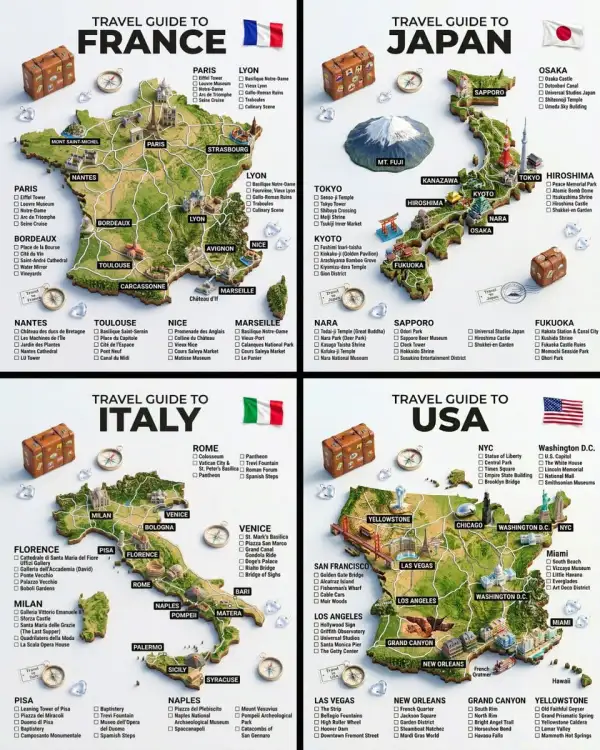
Hyper-Realistic 3D Travel Guide Poster with Raised Terrain and Miniature Landmark Models
Prompt: A hyper-realistic 3D travel guide infographic poster for [COUNTRY]. The country shape is rendered as a raised, textured terrain map floating on a clean light gray surface. Iconic landmarks are placed as miniature 3D sculpted models at their correct geographic locations across the map — each one highly detailed and photorealistic. Roads or railway lines connect key cities as white paths across the terrain. Around the map, floating 3D decorative props related to travel are scattered: a vintage leather suitcase with travel stickers, a compass rose, crystal heart charms, and a postage stamp seal reading “Travel to COUNTRY.” The national flag of [COUNTRY] is shown as a small realistic folded flag in the upper right corner. Each major city has a bold black label on the map, and beside the map, each city has a neat checklist of its top attractions in clean sans-serif typography. A large bold title at the top reads: “TRAVEL GUIDE TO “COUNTRY”” in black uppercase typography with the word [COUNTRY] in heavy bold. The overall aesthetic is premium editorial travel content — soft studio lighting, photorealistic 3D render, white/light gray background, clean layout.
Try this prompt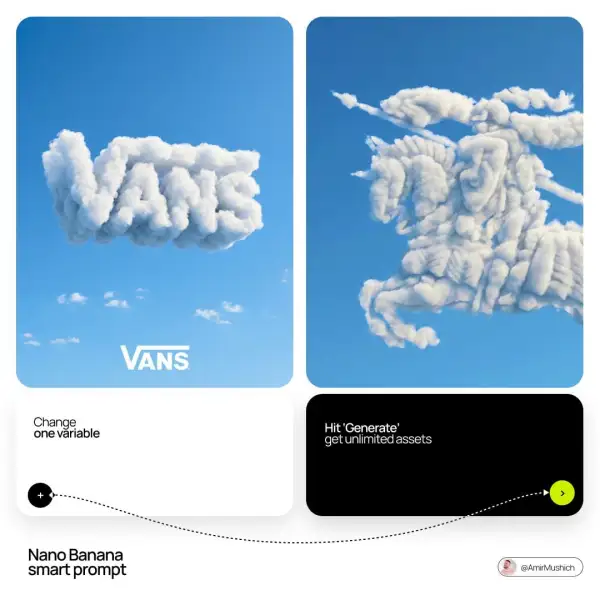
Brand Logo Cloud: Minimalist Surreal Visual Identity Design
Prompt: [BRAND NAME]: The name of the brand. Goal: Generate a single, minimalist, and surreal image where a cloud is shaped like the brand's logo. 1. THE LOGO CLOUD - **Subject**: A massive, photorealistic cumulus cloud in the exact geometric shape of the [BRAND NAME] logo. - **Texture**: Puffy, soft, and voluminous with natural sunlight illuminating the edges. - **Volume**: 3D sculptural appearance with realistic shadows within the cloud folds to show depth. 2. ENVIRONMENT & BACKGROUND - **Sky**: A vast, clear, vibrant blue summer sky. - **Secondary Elements**: A few small, wispy, natural clouds scattered far in the background to enhance the sense of scale and realism. - **Lighting**: Bright, direct daylight coming from the side to create high-contrast highlights and shadows. 3. INTEGRATED BRANDING - **Text**: The word "[BRAND NAME]" written in a clean, bold white sans-serif font. - **Icon**: A small, flat white version of the brand's logo placed next to the text. - **Positioning**: The branding (text + logo) is centered at the bottom of the frame, acting as a subtle anchor to the giant cloud above. 4. STYLE - Surrealist photography, ultra-minimalist composition, high resolution, 8k, cinematic look, clean and airy vibe.
Try this prompt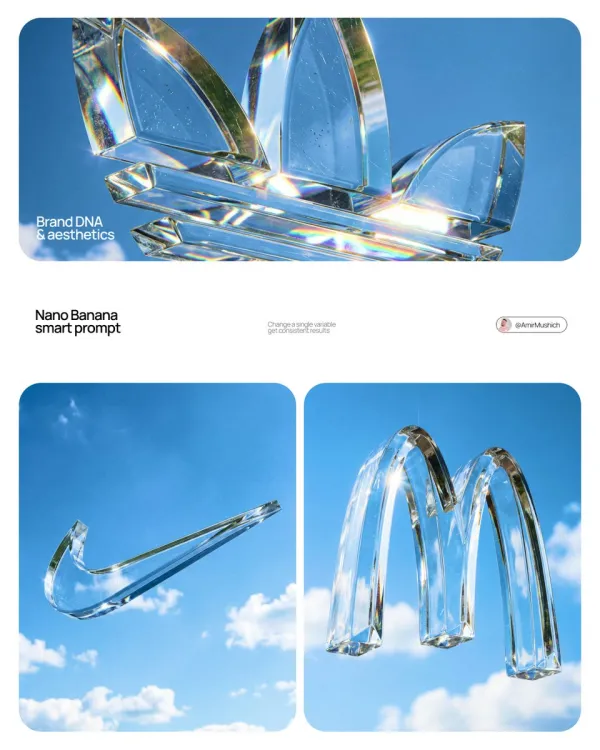
A Massive Floating 3D Brand Logo Sculpture Suspended in Mid-Air
Prompt: Act as a High-End Product Photographer and CGI Artist. PHASE 1: SUBJECT & LOGIC Generate a massive, perfectly centered, three-dimensional physical sculpture of the official, unaltered corporate logo for [BRAND NAME]. The sculpture must strictly adhere to the brand’s precise logo geometry and proportions (1:1 from brandbook). The sculpture is suspended in mid-air. Autonomously identify the exact official shape and structure of the [BRAND NAME] logo and render it as a single, flawless glass object without any modifications. PHASE 2: MATERIALITY (GLASS) The entire logo is made of hyper-realistic, optical-grade crystal glass (not water, not gel). The material is solid, colorless, and boasts high clarity with a high refractive index. It must look heavy and монолитное (monolithic). The glass structure contains subtle, photorealistic microscopic flaws: fine polished scratches on the surface and minor internal inclusions (dust particles/seed bubbles, very few) to avoid “CGI plastic.” The edges must be precision-beveled and fire-polished. PHASE 3: ENVIRONMENT & CAUSTICS The logo is suspended against a strictly clean, bright blue sky with sparse, naturally defined white cumulus clouds. NO land, NO trees, NO palms. The background is purely atmospheric. The focus is entirely on the glass logo. Critically render hyper-realistic, complex glass caustics: intense, sharp patterns of focused light and color (refractions of the blue sky) cast inside and onto the surface of the glass form due to the sunlight passing through it. TECH SPECS Rendered with Arnold or Octane. Phase One XF, 120mm Macro lens. Aperture f/5.6 for sharp depth across the entire glass sculpture. Intense, direct sunlight (hard lighting) to maximize caustics. Global illumination, ray-traced refractions (double-sided geometry), and chromatic aberration emulation (subtle) for optical realism. Fine grain film emulation (Fujifilm Velvia 50).
Try this promptAvailable controls
These values come from the controls currently available in the Pixocto workbench.
- Workflows
- Text-to-image and reference-guided image generation
- Reference images
- 14
- Aspect ratios
- 1:1 · 2:3 · 3:2 · 3:4 · 4:3 · 4:5 · 5:4 · 9:16 · 16:9 · 21:9
- Output resolutions
- 1K · 2K · 4K
- Quality controls
- Not supported
- Credits at default settings
- 1K: 100 · 2K: 100 · 4K: 150