
Image model
Nano Banana AI Image Generator
Pixocto Nano Banana — AI image-to-image with up to 3 reference images and 1K output. Quick edits, variations, and style tweaks.
Popular ways to use this model
Real creations and prompts selected from the Pixocto gallery.
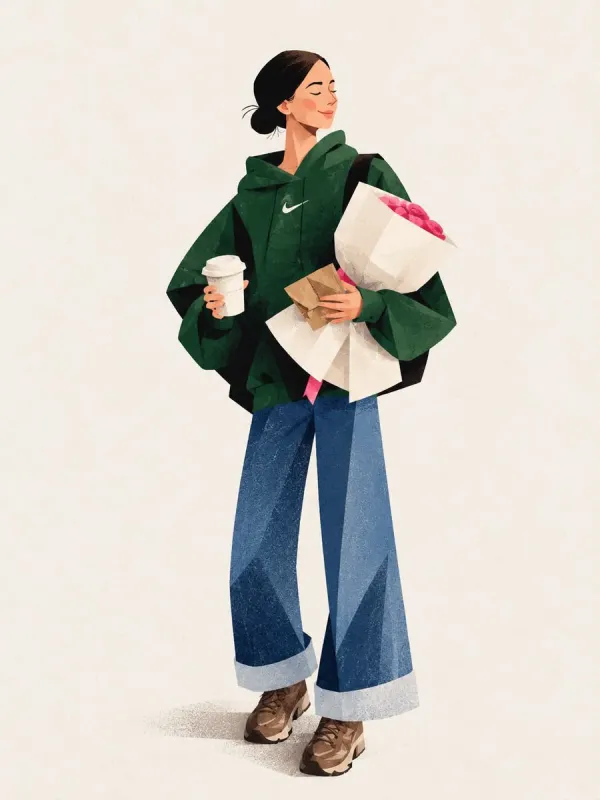
Full-Body Geometric Fashion Illustration in Forest Green Hoodie and Wide-Leg Jeans
Prompt: Create a stylish, full-body editorial fashion illustration of a young woman in a modern casual outfit, using a minimalist, textured geometric art style. She wears an oversized forest-green hoodie, wide-leg blue denim jeans with folded cuffs, and chunky brown sneakers. Her dark hair is tied in a neat low bun. She carries a bouquet of vibrant pink roses wrapped in white paper, a takeaway coffee cup, and a black shoulder bag. Show her walking naturally in a relaxed pose, viewed from a three-quarter rear angle, with soft, elegant body proportions and simplified facial details. Use a warm ivory background with plenty of negative space, soft ground shadows, subtle paper grain, visible brush textures, and angular polygonal shading across the clothing and shoes. The color palette features deep forest green, denim blue, warm brown, cream, and vivid pink. Soft diffused lighting, clean composition, contemporary lifestyle magazine aesthetic, hand-painted digital illustration, refined edges, artistic fabric textures, vertical 3:4 composition, high detail. No photorealism, no 3D rendering, no extra objects, no text or watermark.
Try this prompt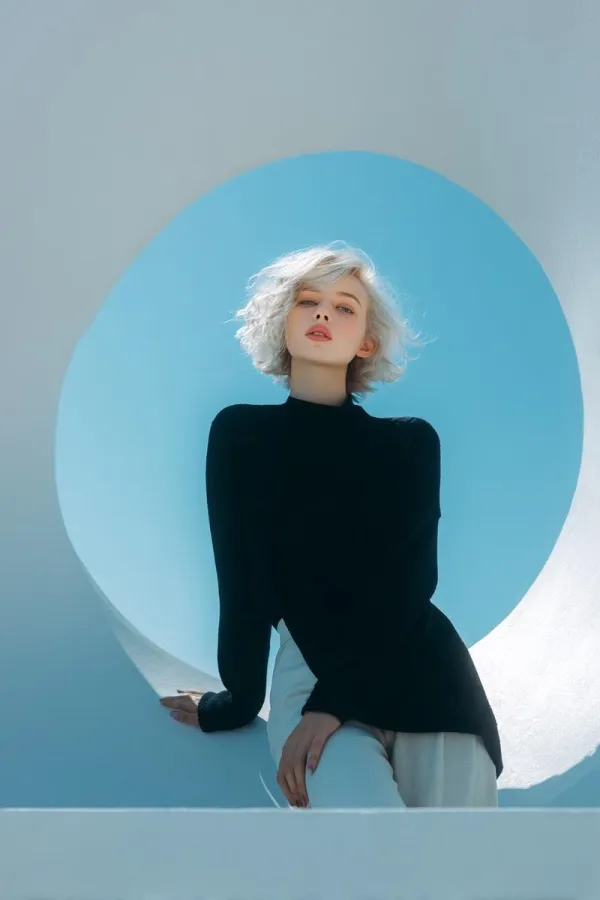
High Fashion Portrait of a Platinum Bob in Minimalist Futuristic Architecture
Prompt: Create an ultra-realistic, high-end fashion editorial photoshoot featuring a beautiful young adult woman with short, tousled platinum-blonde bob hair, delicate facial features, fair skin, natural rosy lips, light-colored eyes, and a calm, confident expression. Scene and Environment: A futuristic minimalist architectural studio featuring a massive sculptural circular opening with thick, smooth, curved white walls. The interior of the circular structure is a rich cobalt-blue or vibrant cyan-blue, creating a striking contrast against the white architectural frame. Clean geometric shapes, curved surfaces, and a contemporary art-gallery aesthetic. Outfit and Styling: The model wears a sophisticated, oversized black knit sweater or elegant black long-sleeved top paired with tailored black or ivory trousers. Minimal makeup, natural skin texture, understated accessories, and effortless luxury styling. Pose and Composition: The model poses naturally within and around the giant circular opening. Create a series of artistic editorial poses: a close-up portrait leaning forward through the circular frame, a full-body seated pose inside the sculptural ring with one knee raised, and a standing or seated three-quarter portrait with one hand resting on the curved white surface. Relaxed hands, graceful posture, elongated silhouette, and direct eye contact with the camera. Lighting: Soft natural daylight entering from one side, creating beautiful directional highlights on the platinum hair, subtle shadows across the face, realistic skin tones, and soft gradients on the white architectural surfaces. Cinematic interplay between cool blue ambient light and warm sunlight. Color Palette: Vivid cobalt blue, turquoise, icy cyan, pure white, deep black, and platinum blonde. Clean, cool-toned color grading with balanced highlights and rich shadows. Photography Style: Luxury fashion magazine editorial, contemporary avant-garde photography, minimalist Scandinavian design, architectural fashion campaign, medium-format camera aesthetics, 85mm portrait lens, subtle depth of field, precise focus on the eyes, realistic hair strands, detailed knit fabric, natural skin texture, sophisticated framing, and premium commercial photography quality. Image Quality: Photorealistic, ultra-detailed, 8K appearance, professional art direction, anatomically accurate hands, realistic proportions, elegant negative space, clean architectural geometry, natural facial expression, crisp details, refined composition, no artificial-looking skin, no excessive retouching. Vertical portrait composition, 2:3 aspect ratio.
Try this prompt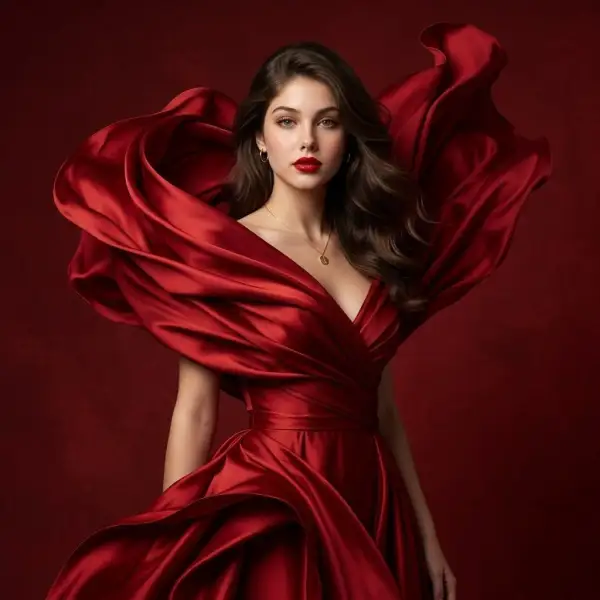
Ultra-Photoreal Female Portrait Preserving Facial Structure
Prompt: Use the uploaded image as the master identity reference. Create the same woman with the exact same face and facial identity ,preserve her facial structure, eyes, eyebrows, nose, lips, jawline, cheekbones, skin tone, proportions, natural asymmetry, and recognizable features with maximum accuracy. Do not redesign or beautify her face. Create an ultra-photorealistic luxury fashion portrait of her wearing a sculptural crimson-red silk gown. The glossy silk forms enormous flowing folds that wrap elegantly around her body and rise dramatically behind her shoulders like waves, creating a striking couture silhouette. Fitted gathered waist, deep V neckline, flowing red fabric cascading downward. Long loose dark-brown wavy hair, elegant red lips, subtle refined makeup, delicate gold earrings and necklace. Warm directional studio lighting, rich deep-red textured background, realistic silk reflections, natural fabric physics, sophisticated luxury editorial campaign, highly detailed skin texture, photorealistic 8K. Front-facing composition, medium-length framing, not head-to-toe. Negative Prompt Different face, identity drift, facial redesign, altered facial structure, different eyes, different nose, different lips, different jawline, different cheekbones, changed skin tone, exaggerated beauty, plastic skin, over-smoothed skin, excessive makeup, face distortion, asymmetrical eyes, warped features, unnatural expression, extra limbs, extra fingers, malformed hands, deformed body, unrealistic anatomy, distorted fabric, stiff fabric, fake silk, low detail, blurry face, CGI look, cartoon, illustration, 3D render, oversharpening, excessive retouching, watermark, logo, text, cropped face, side profile.
Try this prompt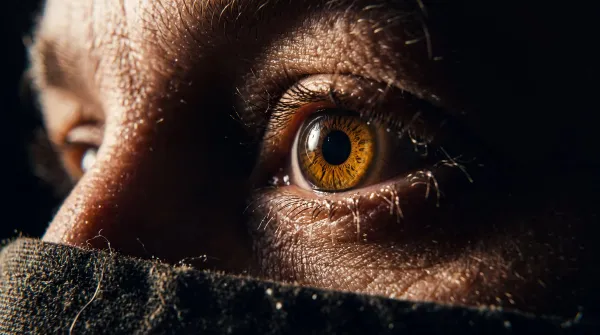
Cinematic Hard-Light Macro Close-Up with Deep Blacks and Film Texture
Prompt: Create a stunning real cinematic still with hard directional lighting and cinematic contrast. Real photo with incredible details. Hard lighting, no fill lights, hard deep blacks. No diffuse lighting. Macro level closeup. Cinematic color and color grading. Incredible real movie still. No text, no overlays. 32k uhd Modern movie shot on film.
Try this prompt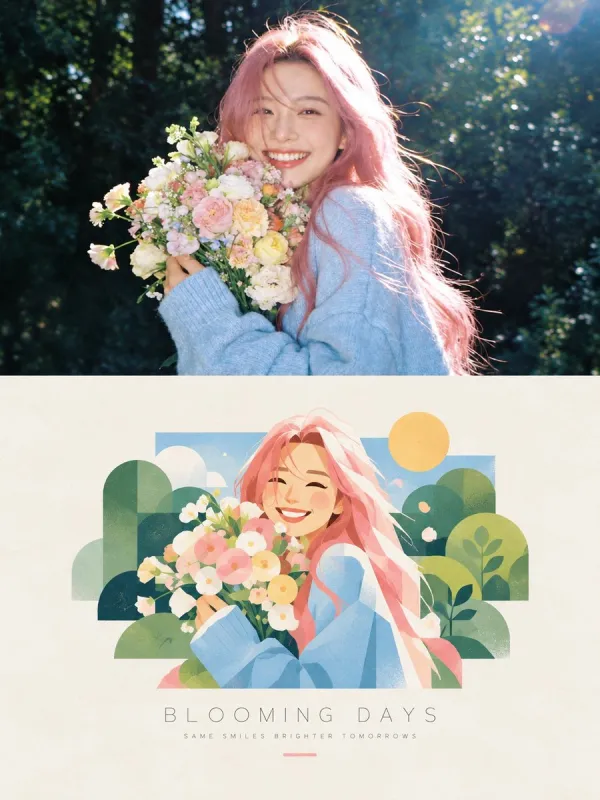
Editorial Poster Splitting Photo Above and Hand-Painted Scene Below
Prompt: Create a premium editorial poster featuring a two-part visual composition. The upper half shows a photorealistic photograph of [Subject] in [Setting], captured in warm natural sunlight with realistic skin texture, authentic expressions, soft highlights, and cinematic depth of field. The lower half transforms the exact same scene into a beautiful hand-painted digital illustration, preserving the subject’s pose, hairstyle, clothing, colors, and key visual details. Place the illustrated scene inside a clean rectangular frame on a warm ivory, subtly textured paper background. Use a charming contemporary illustration style with delicate brush textures, simplified organic shapes, pastel colors, soft outlines, and a nostalgic summer-magazine aesthetic. Add tasteful decorative elements that complement the scene. Below the illustration, include a centered minimalist editorial title reading “[Main Title]” in thin, widely spaced uppercase typography, followed by a smaller subtitle reading “[Tagline]” in elegant letter-spaced text. Add a short, thin pastel-colored line underneath. Maintain balanced spacing, refined art direction, a cohesive color palette, and a sophisticated print-design finish. Vertical 3:4 composition, high resolution, natural lighting, polished editorial layout, aesthetically pleasing, realistic-to-illustration transformation. Avoid clutter, excessive text, distorted anatomy, inconsistent facial features, harsh colors, heavy borders, and unnecessary graphic elements.
Try this prompt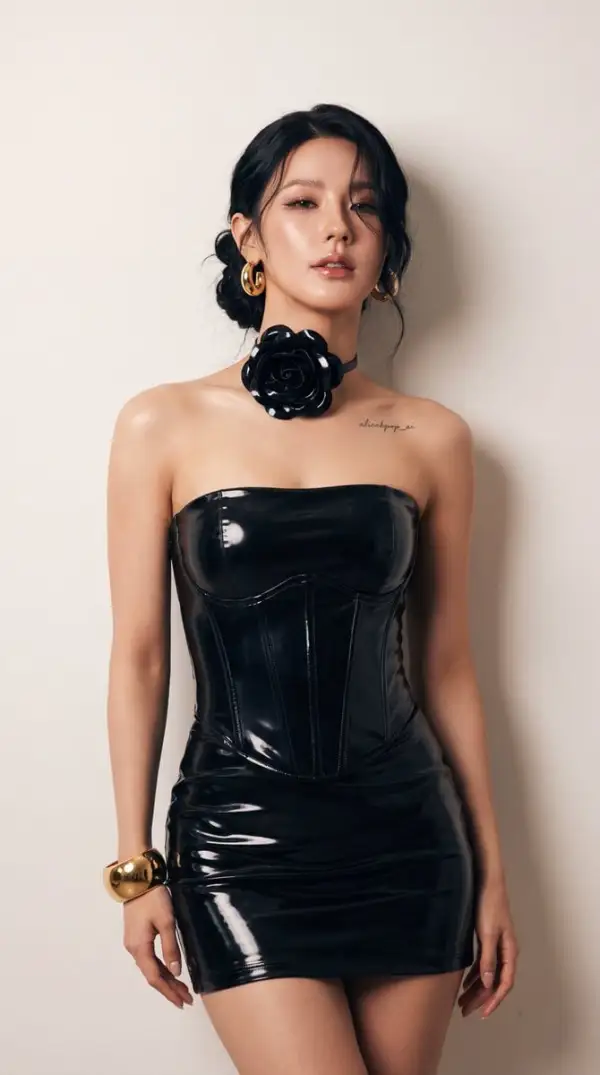
Miyeon Minimalist High-Fashion Studio: Confident Single-Frame Portrait
Prompt: { "compiled_prompt": "Generate a single-frame portrait photograph of Miyeon of (G)I-DLE, one continuous exposure filling the frame edge to edge. The scene is a minimalist high-fashion studio against a smooth neutral off-white wall. The atmosphere is confident and glamorous. The background is a smooth neutral off-white wall falling softly out of focus. A tall vertical frame captures a close-up portrait, 85mm f/1.8 beauty lens at chest height with shallow depth of field, one figure centered and filling the height of the picture. She wears a sleek high-gloss latex strapless corset dress with a straight modest neckline, opaque lining, structured boned bodice, and a fitted mini skirt. The glossy jet black color is carried by the entirety of the high-gloss latex garment. She is styled with an oversized sculptural dimensional flower choker worn around the neck, chunky polished round gold hoop earrings, and a bold massive gold cuff bracelet on one wrist. A small fine-line cursive tattoo in faded black ink deeply embedded into the skin reading alicekpop_ai sits on the side of her shoulder. She poses with a seductive, confident stance close to the camera, standing against the light wall. Her natural black soft wavy hair is gathered in a chic, low messy bun with a loose voluminous strand draping naturally across one side of her face. She has flawless glowing makeup with sharply contoured cheekbones, expressive smoky eyes with thin black liner, and luscious glossy lips. Her eyelids are softly half-closed in a knowing gaze looking directly into the camera lens with relaxed alluring lips. Soft, warm directional studio lighting creates dramatic highlights on the glowing skin and catches the deep tones of the glossy jet black latex dress, completed by cinematic high-end color grading.", "member": "Miyeon of (G)I-DLE", "scene": { "atmosphere": "confident and glamorous", "background": "smooth neutral off-white wall falling softly out of focus", "camera": "85mm f/1.8 beauty lens at chest height with shallow depth of field", "composition": "tall vertical frame, close-up portrait, one figure centered and filling the height of the picture", "grade": "cinematic high-end color grading", "lighting": "soft, warm directional studio lighting creating dramatic highlights", "location": "minimalist high-fashion studio" }, "scene_text": { "archetype": "tattoo", "carrier": "small fine-line cursive tattoo", "placement": "on the side of her shoulder", "text": "alicekpop_ai" }, "subject": { "expression": "eyelids softly half-closed in a knowing gaze looking directly into the camera lens with relaxed alluring lips", "hair": "natural black soft wavy hair gathered in a chic, low messy bun with a loose voluminous strand draping naturally across one side of her face", "identity": "Miyeon of (G)I-DLE", "pose": "seductive, confident stance close to the camera, standing against the light wall" }, "wardrobe": { "accessories": "oversized sculptural dimensional flower choker worn around the neck, chunky polished round gold hoop earrings, bold massive gold cuff bracelet on one wrist", "color": "glossy jet black, carried by the entirety of the high-gloss latex garment", "footwear": "not visible in close-up frame", "material": "sleek high-gloss latex", "silhouette": "strapless corset dress with a straight modest neckline, opaque lining, structured boned bodice, and a fitted mini skirt" } }
Try this promptAvailable controls
These values come from the controls currently available in the Pixocto workbench.
- Workflows
- Text-to-image and reference-guided image generation
- Reference images
- 3
- Aspect ratios
- 1:1 · 2:3 · 3:2 · 3:4 · 4:3 · 4:5 · 5:4 · 9:16 · 16:9 · 21:9
- Output resolutions
- 1K
- Quality controls
- Not supported
- Credits at default settings
- 1K: 50