GPT Image 2 Social Media Guide: Thumbnails, Covers & Posts in One Prompt
Boston city poster — ink-wash river composition, city landmarks woven into the flow, elegant typography. This level of poster from a single prompt.
GPT Image 2 Social Media Guide: Thumbnails, Covers & Posts in One Prompt
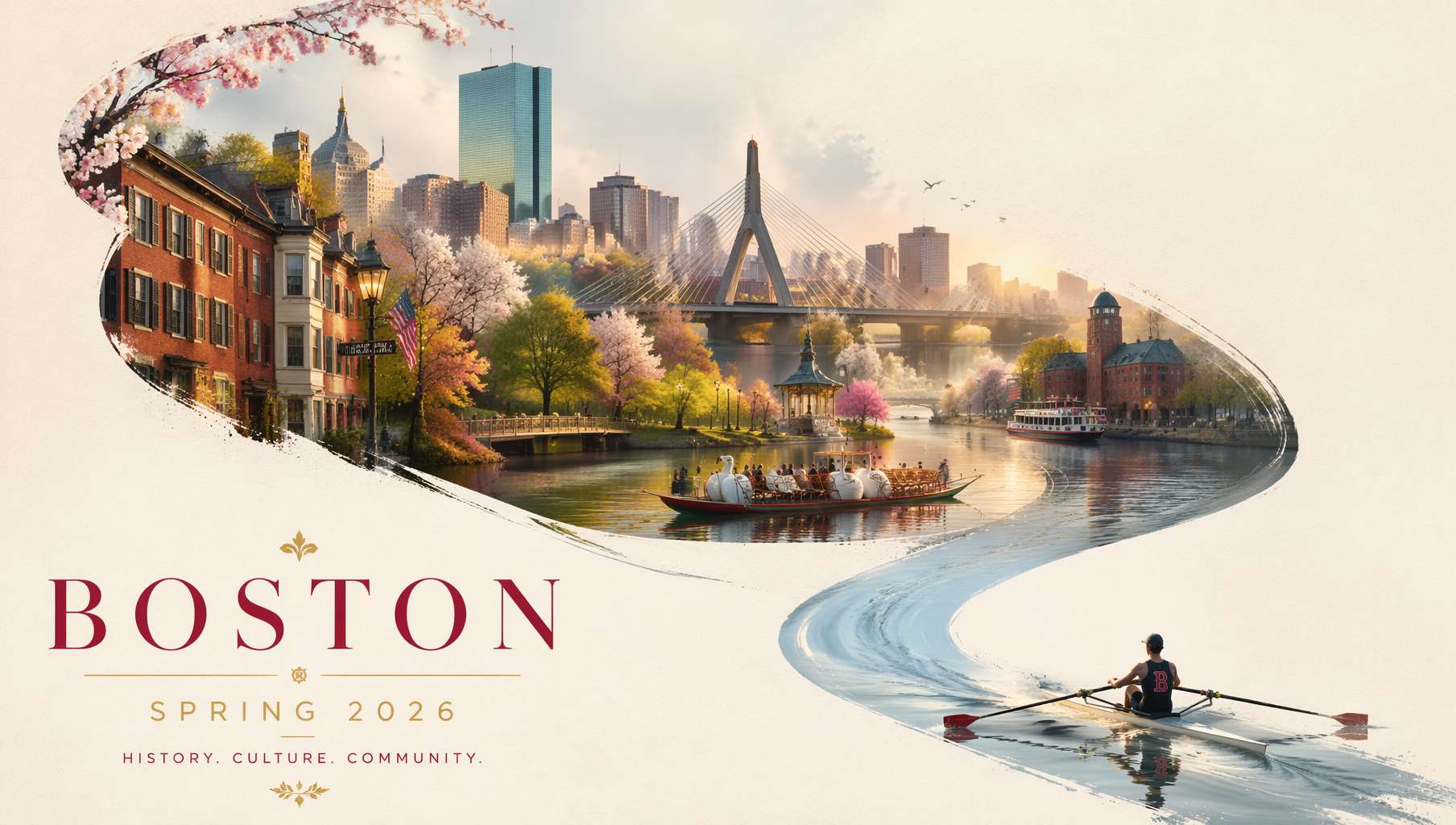 Boston city poster — ink-wash river composition, city landmarks woven into the flow, elegant typography. This level of poster from a single prompt. Prompt by @BubbleBrain
The hardest part of being a content creator isn't writing — it's making the visuals.
Instagram needs squares and verticals. YouTube needs landscape thumbnails. Twitter/X needs memes. TikTok needs vertical covers. Pinterest needs tall pins. Every platform has different dimensions, different aesthetics, different rules. One post needs 3-5 images. Three posts a day means a dozen images. Finding stock photos, editing, adding text — that alone eats half your day.
GPT Image 2 lets you describe what you want in one sentence and get a post-ready image. No Photoshop. No stock photo sites. No copyright headaches.
Every prompt in this article comes from real GitHub community contributions (awesome-gpt-image-2, awesome-gpt-image, Awesome GPT Image 2 API Prompts) — tested by thousands of users, ready to copy and use.
1. Platform Size Cheat Sheet + Prompt Control
Know what each platform wants, then add the matching aspect ratio keyword at the end of your prompt:
| Platform | Content Type | Recommended Ratio | Add to Prompt |
|---|---|---|---|
| Feed post | 1:1 or 4:5 | 1:1 composition | |
| Story/Reels | 9:16 | 9:16 composition | |
| YouTube | Thumbnail | 16:9 | 16:9 composition |
| Twitter/X | Post image | 16:9 | 16:9 composition |
| TikTok | Cover | 9:16 | 9:16 composition |
| Pin | 2:3 | 2:3 vertical composition | |
| Article cover | 16:9 | 16:9 composition |
2. Lifestyle Posts: Photo + Doodle Hybrid
One of the hottest content styles on Instagram and lifestyle platforms: realistic photo quality + hand-drawn doodle overlays. Looks like a blogger's casual snap, but with an extra layer of illustrated charm.
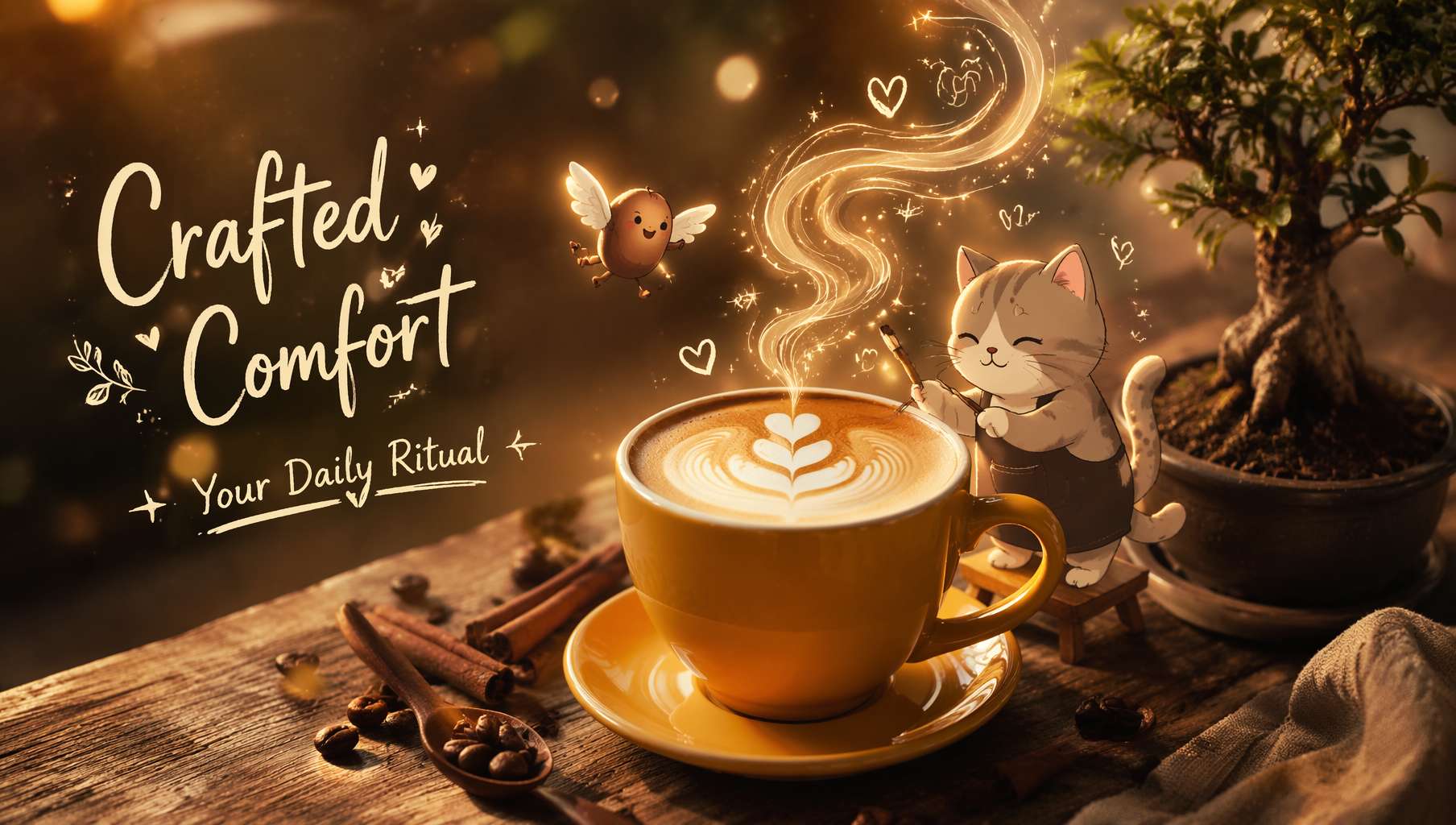 Coffee scene — real latte + flying coffee bean doodle + cat barista illustration + handwritten text, photo and illustration seamlessly blended. Prompt by @Taaruk_
Community-Tested Prompt (EvoLinkAI, Case 191 by @Taaruk_):
Warm cozy coffee scene on a rustic wooden table with a cup of latte art on a yellow saucer, coffee beans and cinnamon sticks around, small bonsai plant nearby. Add cute animated doodle characters (coffee bean with wings, cat barista painting latte art) and flowing illustrated steam forming magical shapes. Include soft handwritten typography: "Crafted Comfort – Your Daily Ritual". Golden hour lighting, warm tones, soft glow, dreamy atmosphere, shallow depth of field, ultra-realistic + 2D illustration blend, 4K.
Why this prompt works:
ultra-realistic + 2D illustration blendis the key instruction for the photo-doodle hybridcute animated doodle charactersmakes AI add hand-drawn characters onto a realistic photosoft handwritten typographyadds handwritten text — no post-editing needed- The result looks like a carefully crafted lifestyle post, but it took 5 seconds
Same-series variant — food edition (same author):
Top-down vibrant food flatlay featuring multiple crispy fried dishes (fish, shrimp, chicken) with dipping sauces on a dark textured table. Add playful hand-drawn doodles and tiny cartoon characters interacting with the food (surfing shrimp, holding signs, cooking, playing). Include fun handwritten labels like "Golden Crunch", "Perfect Pairing", "Champion Fish". Bright colors, high contrast, crispy texture details, steam effects, dynamic composition, social media food ad style, ultra-realistic, 4K.
Best for: Food reviews, coffee diaries, brand lifestyle content
3. YouTube Thumbnails: Fake UI Is the New Clickbait
The YouTube community discovered a new trick: have GPT Image 2 generate complete YouTube UI "screenshots". Video title, view count, comment section — all rendered. This "screenshot" style gets insane click-through rates.
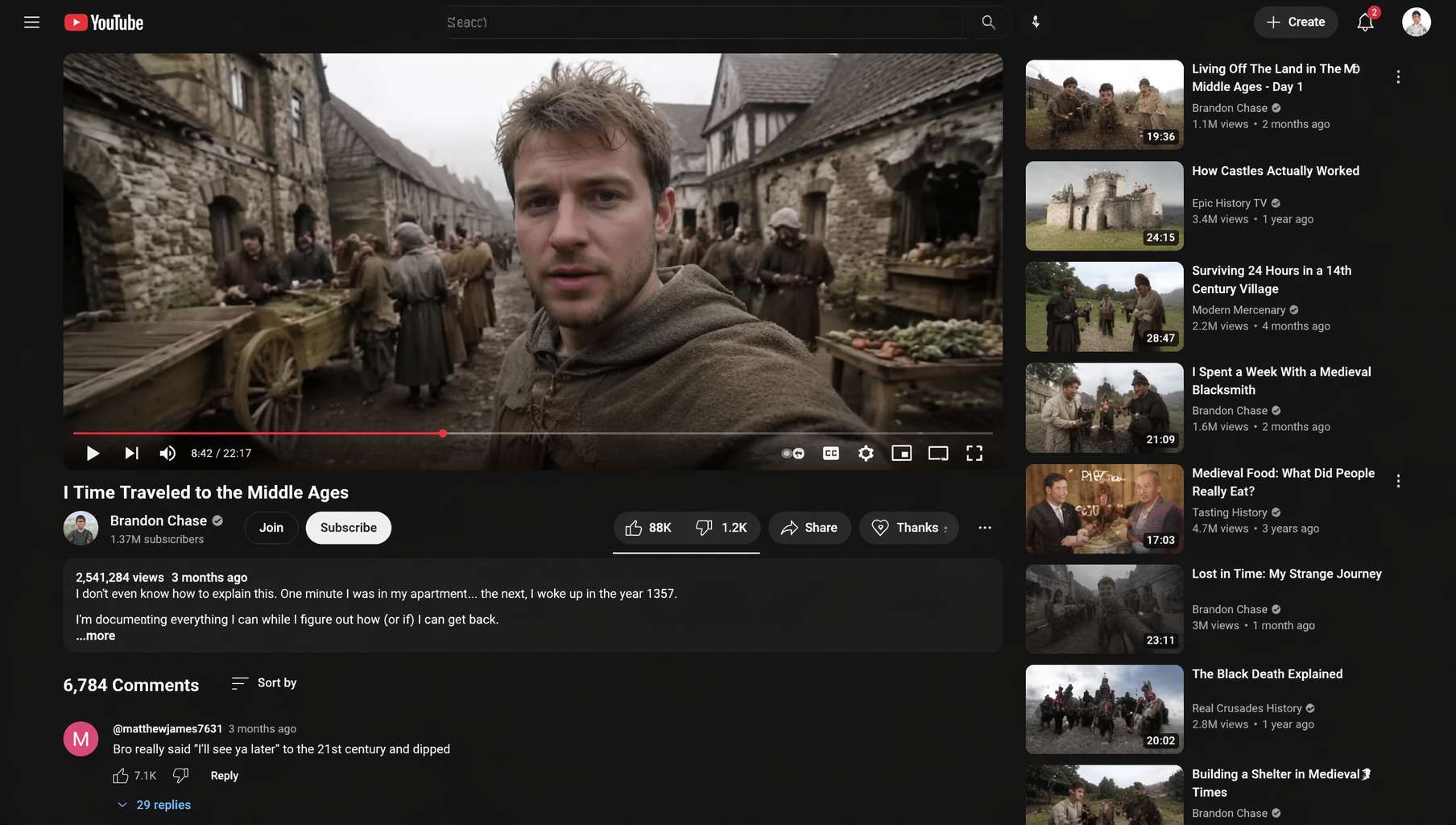 YouTube "time travel to the Middle Ages" screenshot — complete YouTube interface, view count, title, comments, all AI-generated. Prompt by @flowersslop
Viral Community Prompt (Anil-matcha repo, by @flowersslop):
Screenshot of a YouTube video showing someone who time-traveled to the Middle Ages — complete with authentic YouTube UI, view count, video title, channel name, and comment section.
Why this went viral:
- Just one sentence, leveraging GPT Image 2's strongest ability: precise text rendering
- YouTube UI elements (progress bar, like count, comments) are accurately reproduced
- This "fake screenshot" style hit 430K+ views on X
- Swap in any absurd scenario:
someone who brought a MacBook to ancient Egypt,a cat giving a TED talk
Variant template:
Screenshot of a YouTube video showing [absurd scenario], complete with authentic YouTube UI, view count of [number], video title "[title]", channel name "[channel]", and top comment saying "[funny comment]".
Best for: YouTube channel promotion, Twitter/X memes, community engagement content
4. Vertical Portraits: Story / Reels / Short Video Covers
Vertical full-screen (9:16) is the short-video battlefield. One of the community's most popular vertical styles: Japanese-style film portraits — soft, airy, atmospheric.
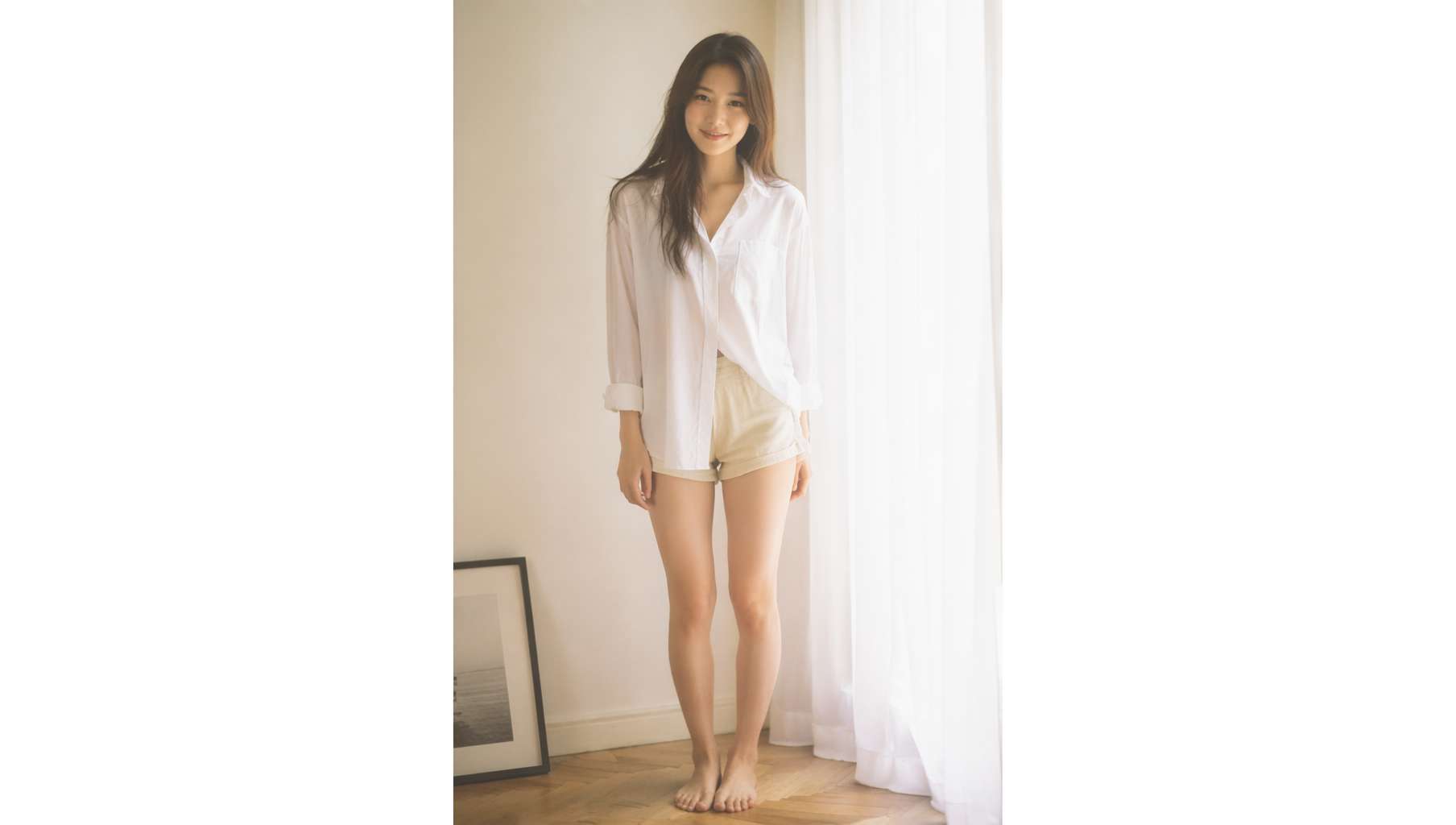 35mm film vertical portrait — soft window light, slight overexposure, pastel tones, film grain, instant Story mood. Prompt by @BubbleBrain
Community-Tested Prompt (Anil-matcha repo, by @BubbleBrain):
Analog 35mm film photography, soft airy Japanese-style aesthetic, gentle diffused natural window light, slight overexposure, pastel tones, low contrast, soft highlights, minimal indoor setting near a window with white curtains, clean light-colored wall, natural composition, eye-level, slightly closer full-body framing, young East Asian woman, natural minimal makeup, soft realistic skin texture, long slightly messy dark hair, oversized white button-up shirt, light casual shorts, barefoot, simple and relaxed styling, standing naturally with relaxed posture, facing camera, gentle soft smile, subtle stillness, focus on light, air, and quiet everyday mood, soft film grain, dreamy and understated atmosphere --ar 9:16
Core techniques in this prompt:
Analog 35mm film photography+soft film grain= authentic film feelslight overexposure, pastel tones, low contrast= the Japanese airy aesthetic trifectasoft airy Japanese-style aestheticdirectly defines the overall stylefocus on light, air, and quiet everyday moodsets the emotional tone
Korean editorial variant (same author):
9:16 vertical - editorial portrait, single subject soft black mist filter, subtle haze, gentle highlight bloom, muted tones minimal indoor space, clean background, slight texture young Korean woman, minimal makeup, natural skin texture, fitted ribbed knit top, hair slightly messy with natural volume, sitting on floor with one leg bent, body slightly leaning, head tilted, calm slightly distant expression, soft side light, gentle shadow falloff, understated quiet mood, fine grain, realistic look
Best for: Instagram Stories, outfit-of-the-day posts, TikTok covers, brand lookbooks
5. 3D Creative Posters: Brand-Level Impact
Brand ads on social media are trending toward 3D surrealist aesthetics — exaggerated materials, dramatic compositions, impossible to scroll past.
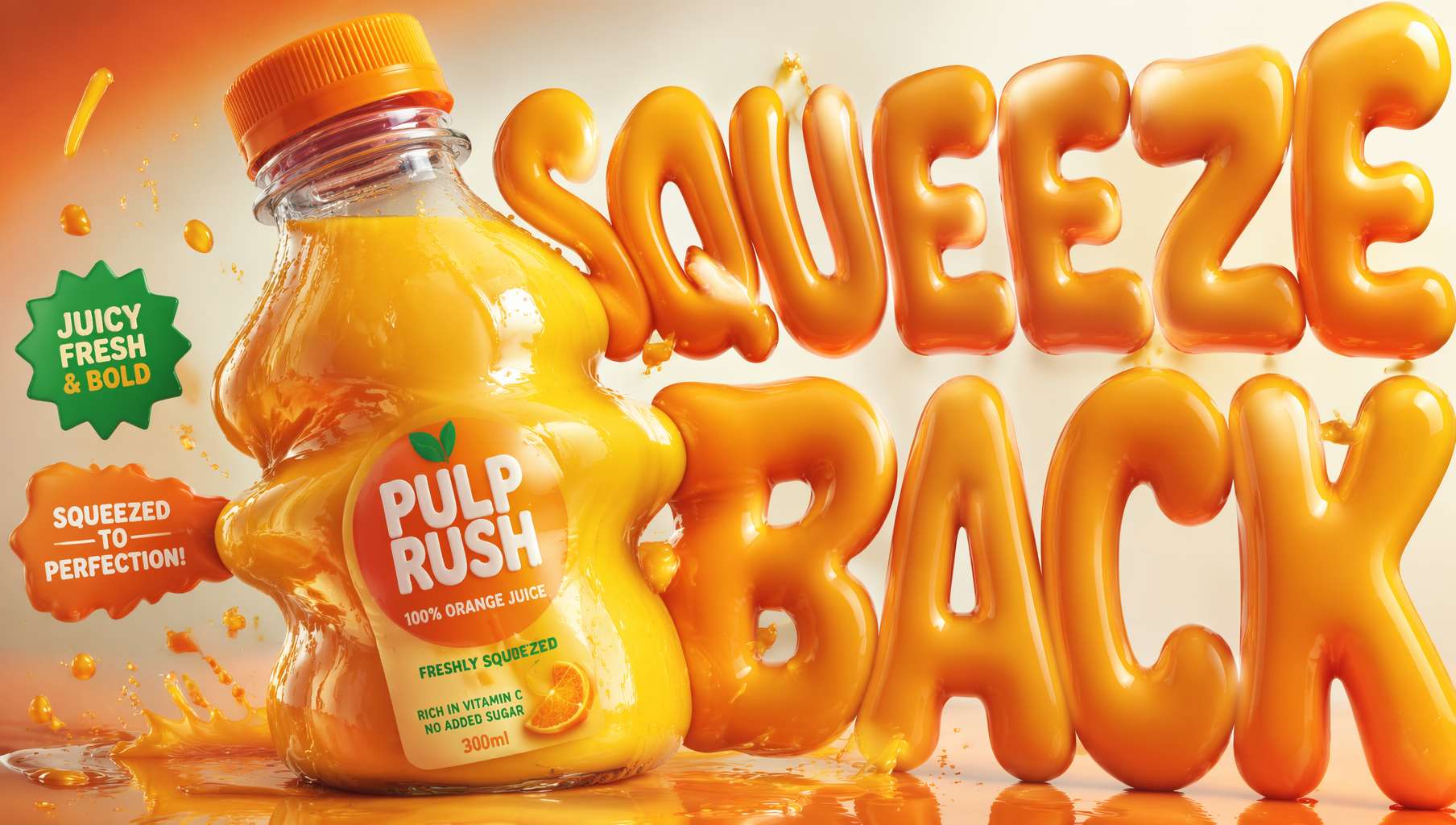 3D inflatable juice poster — bottle bulging like a squeezed toy, inflated typography, neo-pop surrealist style. Prompt by @Goodmanprotocol
Community-Tested Prompt (EvoLinkAI, Case 179 by @Goodmanprotocol):
Design a 4:5 product poster for an orange juice 3d bottle using playful inflatable-plastic packaging surrealism where the bottle behaves like a squeezed toy object mid-pressure. The poster should communicate juiciness, tension, and tactile freshness through a bottle that visibly bulges, stretches, and compresses like a soft object being squeezed from the inside out. SUBJECT: A single bottle dominates the center-left, illustrated in a semi-3D stylized form. The bottle is visibly distorted — its midsection bulges outward while the neck is slightly compressed, as if internal juice pressure is pushing against the container walls. The cap is slightly tilted from pressure. The bottle feels elastic, alive, and reactive rather than rigid. TYPOGRAPHY: Headline "SQUEEZE BACK" in thick, rounded, inflated lettering that mimics air-filled plastic. The type is physically distorted — letters stretch horizontally near the bottle and compress toward the edges. STYLE: Neo-pop surreal product illustration with inflatable material logic, playful distortion, and high-impact commercial clarity.
Design thinking behind this prompt:
inflatable-plastic packaging surrealismdefines the entire visual language- The product is personified — the bottle "feels elastic, alive, and reactive"
- Typography follows the same physics:
inflated lettering that mimics air-filled plastic - This structured approach is worth learning: Subject + Typography + Style three-act structure
Best for: Brand social ads, product launch posters, e-commerce banners
6. Infographics / Knowledge Cards: The Follower Magnet
One of the fastest-growing content types on Instagram and lifestyle platforms: encyclopedia-style knowledge cards. High information density, high save rate, highly shareable.
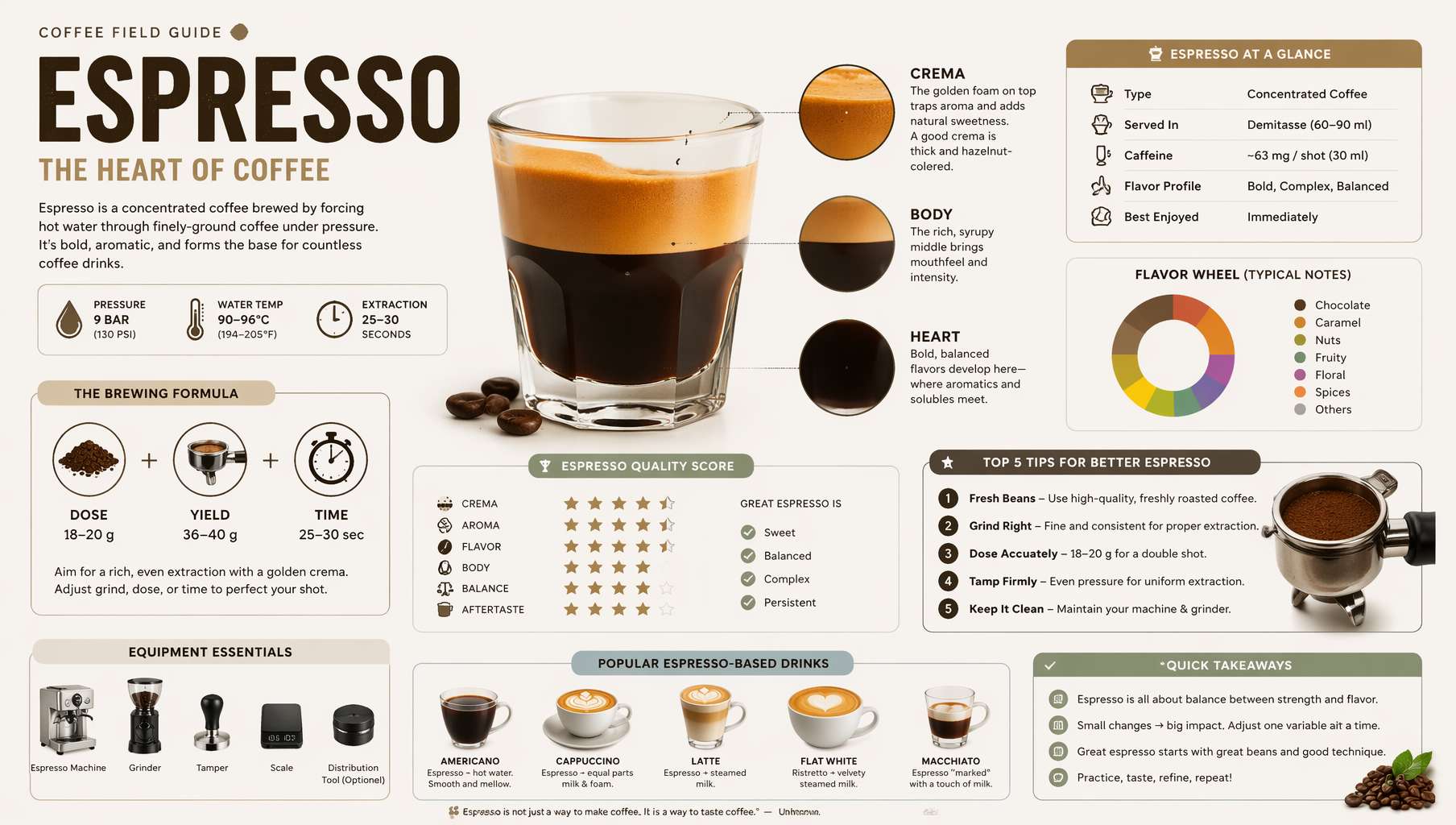 Espresso encyclopedia card — modular info blocks, field-guide layout, scoring system, Top 5 module. One image, one complete explainer. Prompt by @MrLarus
Community-Tested Prompt (ZeroLu repo, by @MrLarus):
Generate a high-quality vertical encyclopedia-style infographic about [topic]. This should not be a normal poster or a simple illustration. It should feel like a modular educational infographic that combines the clarity of a field guide, the structure of an encyclopedia page, the polish of a lifestyle knowledge card, and the shareability of a strong social-media explainer. The image should include: - a clear and appealing main visual of the topic - several enlarged detail callouts - multiple rounded modular information sections - strong title hierarchy and highlighted key labels - concise but information-rich educational content - visual scoring, quick takeaways, or a Top 5 module Use a clean light background, soft colors, subtle shadows, refined small icons, rounded information cards, and neat layout. The information density should be high but not crowded, and the final image should feel publishable, collectible, and repeatable as a knowledge-card format. Do not make it look like a commercial promo poster. Emphasize knowledge organization, modular information, and a field-guide presentation.
What makes this prompt great:
modular educational infographicexplicitly defines the information architecturefield guide + encyclopedia page + knowledge cardtriple definition locks the stylepublishable, collectible, and repeatabledefines the content's value proposition- Just swap
[topic]to batch-generate cards across any domain
Popular topic ideas: Coffee bean varieties, cat breed guide, plant care guide, city travel guides, wine basics
Best for: Educational accounts, Pinterest long pins, knowledge-focused creators
7. Social Media Prompt Cheat Sheet
| Scenario | Core prompt fragments | Credit |
|---|---|---|
| Lifestyle doodle | ultra-realistic + 2D illustration blend, cute doodle characters, handwritten typography | @Taaruk_ |
| YouTube fake screenshot | Screenshot of a YouTube video showing [scene], complete with authentic YouTube UI | @flowersslop |
| Japanese film vertical | Analog 35mm film, soft airy Japanese-style, slight overexposure, pastel tones, film grain | @BubbleBrain |
| 3D surrealist poster | inflatable-plastic surrealism, 3D stylized form, distorted typography | @Goodmanprotocol |
| Encyclopedia card | encyclopedia-style infographic, modular information sections, field-guide presentation | @MrLarus |
| City poster | city poster, calligraphic curve composition, dreamlike panorama, elegant typography | @BubbleBrain |
Universal ratio suffixes:
Square: photorealistic, high quality, 1:1 composition Landscape: photorealistic, high quality, 16:9 composition Vertical: photorealistic, high quality, 9:16 composition
Final Thoughts
In social media content, speed is everything.
If one image takes 30 minutes to source and edit, you can only post 2-3 times a day. With GPT Image 2, idea to image takes 10 seconds. In the same time, you can test 10 different visual styles and find the one that drives the most engagement.
Every prompt in this article comes from the GitHub open-source community, tested by thousands. These creators (@Taaruk_, @flowersslop, @BubbleBrain, @Goodmanprotocol, @MrLarus) shared their best prompt engineering work — standing on their shoulders, your content production speed gets a massive boost.
Of course, AI images aren't a silver bullet:
- Authentic human content still builds more trust, especially for personal brand accounts
- Platform policies may require AI-generated content labeling
- Copyright considerations — stay current with each platform's latest rules
But in these scenarios, GPT Image 2 is already the most efficient choice:
- Daily posting: 3-5 posts a day — manual image creation can't keep up
- Testing phase: Not sure what style resonates? AI enables rapid A/B testing
- Supporting assets: Backgrounds, decorations, mood shots — not the star, but essential
- Inspiration exploration: Turn vague mental images into discussable visuals
Getting started is simple: open ChatGPT, start with your most-used platform, and copy a prompt from above — your first image is 10 seconds away.
Resources
- Awesome GPT Image 2 API Prompts — Prompt collection organized by scenario
- EvoLinkAI Prompt Library — Updated daily, includes social media, ads, TVC templates
- awesome-gpt-image — Curated prompts from top X creators, infographic templates highly recommended
- OpenAI Official Prompting Guide
Written with pixocto · Images generated by GPT Image 2