GPT Image 2 for Architects: From Concept Sketch to Client Presentation in One Prompt
An architect's desk: scale models, drawings, material samples, and an AI render on screen — this is the 2026 design workflow
GPT Image 2 for Architects: From Concept Sketch to Client Presentation in One Prompt
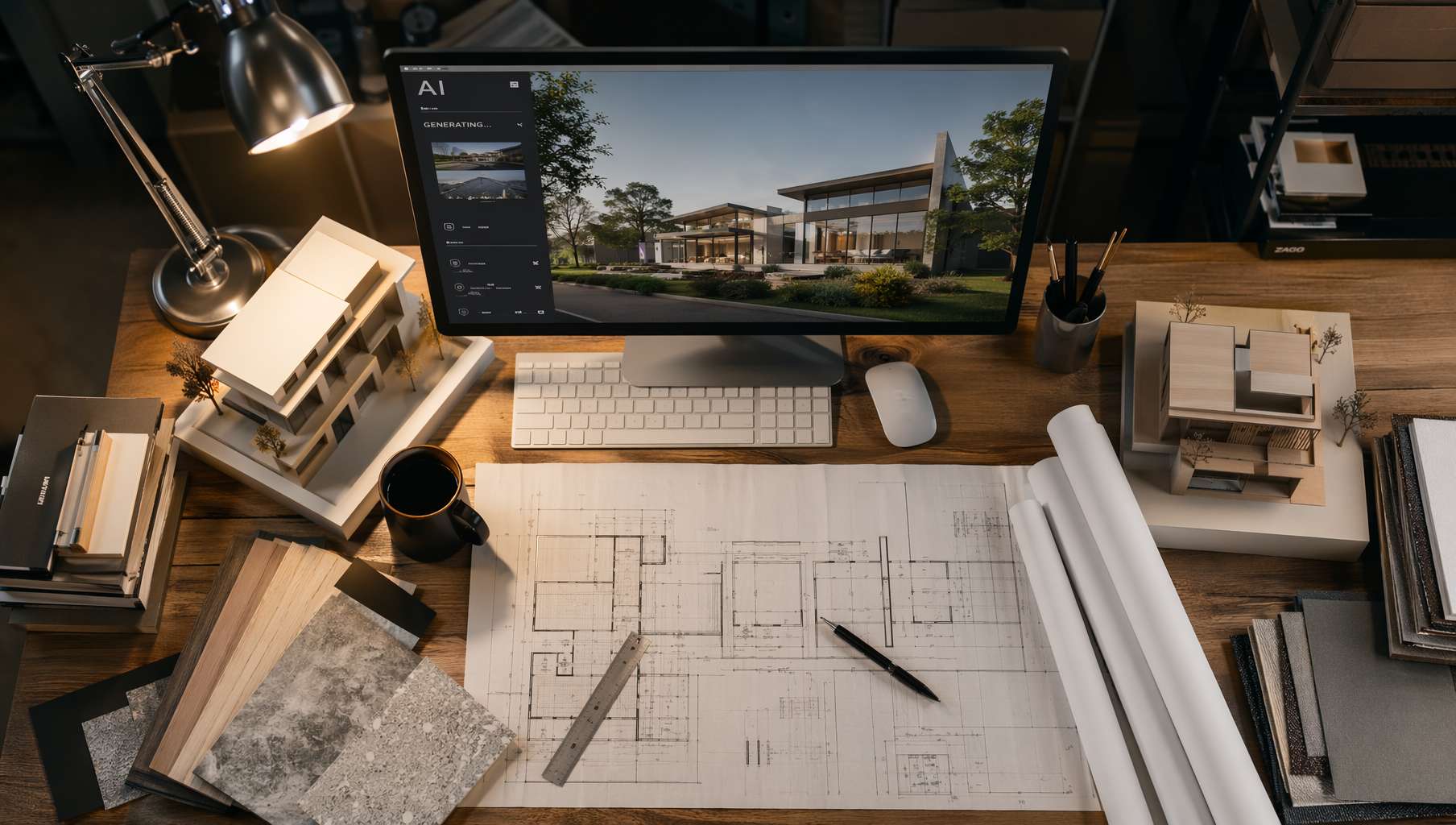 An architect's desk: scale models, drawings, material samples, and an AI render on screen — this is the 2026 design workflow
The biggest pain point for architects isn't drawing — it's waiting for renders.
A concept flashes through your mind in the early design phase. To show the client, the traditional pipeline is: model → texture → light → render → post-production. One visualization takes at least half a day; render farm queues might mean overnight. And the client meeting is tomorrow morning.
GPT Image 2 can't replace V-Ray for construction-document-level renders, but it does something arguably more valuable: turning the concept in your head into a discussable image in 5 seconds.
This article follows the architectural design process — from exterior concepts to interior spaces to material selection — with a copy-paste prompt template for every stage.
1. Exterior Concept Renders: The First Image in Your Presentation
Residential Architecture
One of the most common quick-turn renders architects need: residential exteriors. Golden hour lighting, material texture, contextual relationship — effects that used to require careful light setup are now one prompt away:
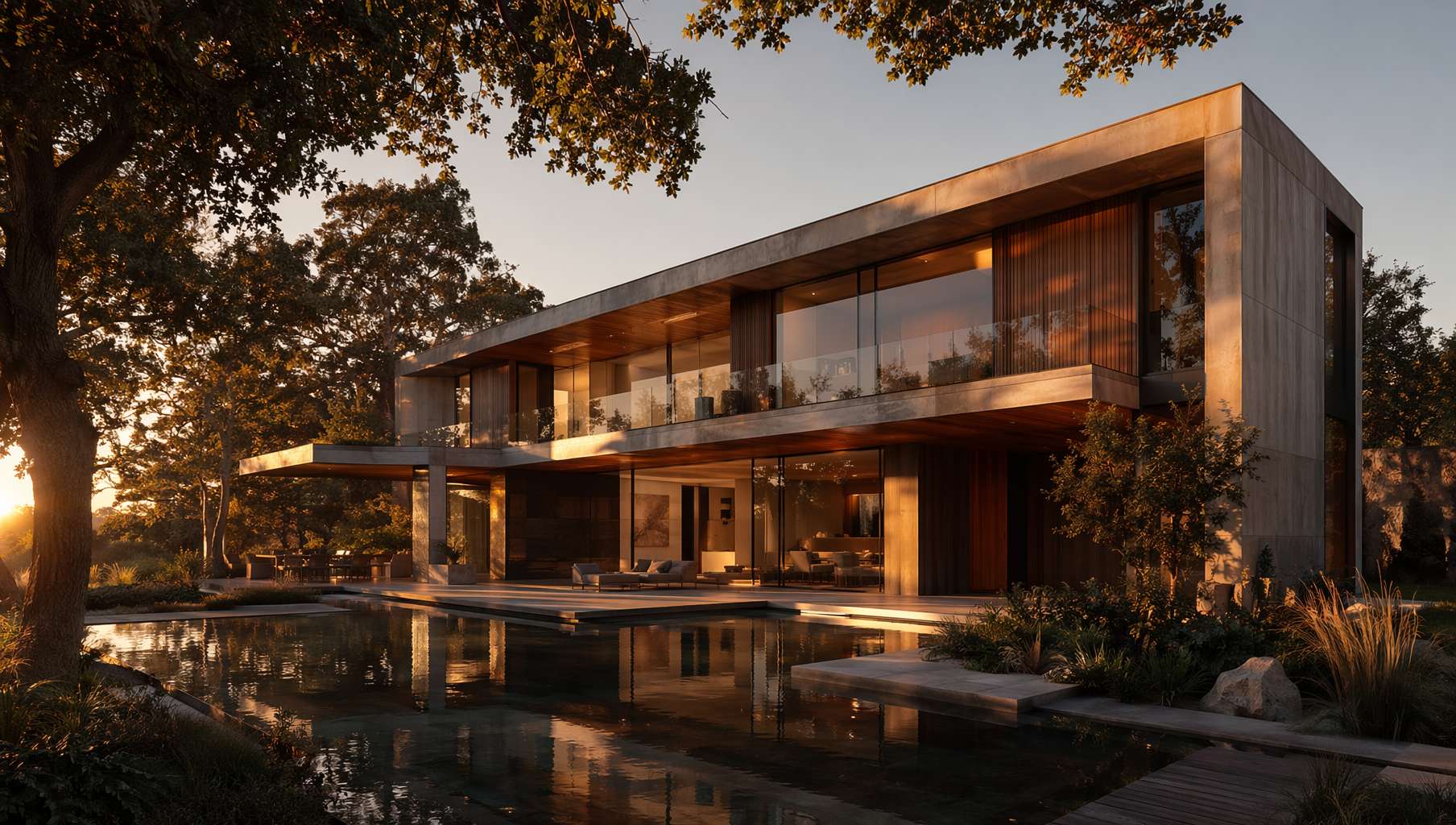 Modern residence — concrete + warm timber facade, floor-to-ceiling glass, golden hour reflecting pool, generated with a single prompt
Prompt Template — Residential Exterior Render:
A [architectural style] residential house at [time/lighting: golden hour / blue hour / overcast noon / misty morning]. [Facade material description: concrete and warm timber facade / white stucco with floor-to-ceiling glass]. [Context elements: reflecting pool / mature trees / courtyard garden]. [Viewpoint: eye-level front view / 3/4 perspective / slightly elevated]. Architectural visualization render style, photorealistic, high quality, 16:9 composition.
Actual example (prompt used for the image above):
A modern residential house at golden hour, concrete and warm wood facade with floor-to-ceiling glass windows, surrounded by mature trees, reflecting pool in front, dramatic warm sunset light casting long shadows, architectural visualization render style, photorealistic, high quality, 16:9 composition.
Key tips:
golden hour/blue hourare the two most popular lighting conditions in architectural visualization- Specifying facade materials (concrete, timber, glass, metal panels) is more precise than naming a style
architectural visualization render styletells the AI this is an archviz image, not a photo- Adding context elements (water, vegetation, human scale) gives the image spatial depth
Commercial / Public Buildings
Office towers, cultural centers, mixed-use complexes — when you need to express a bold concept, parametric facades + blue hour is a classic combo:
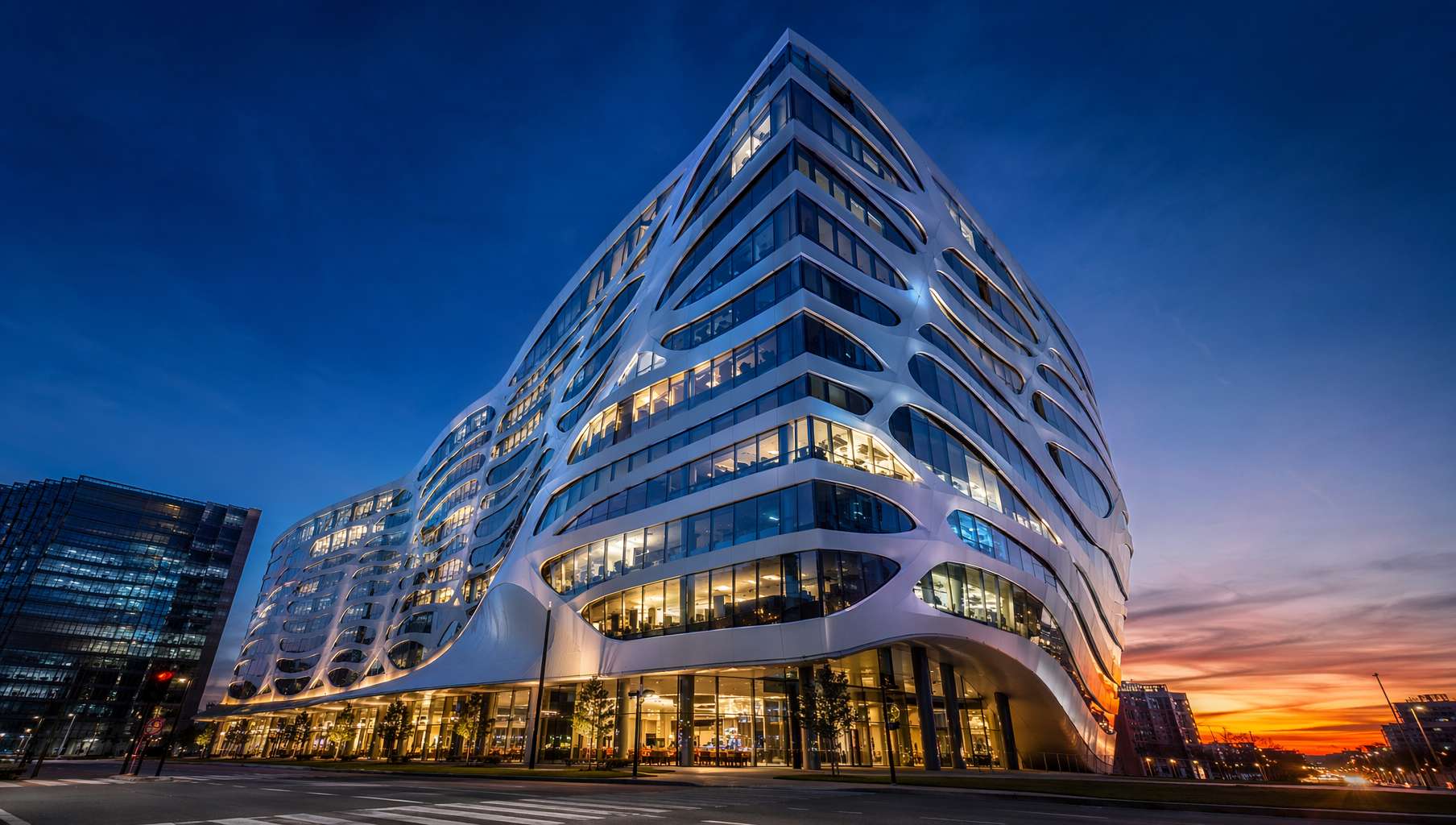 Parametric office tower — organic flowing aluminum facade, blue hour, low-angle perspective emphasizing massing
Prompt Template — Commercial Exterior:
A [building type: office tower / cultural center / mixed-use complex] with [facade feature: parametric facade / double-skin curtain wall / cantilevered volumes / perforated metal screen]. Shot during [time], [viewpoint: ground-level looking up / aerial perspective / street-level with pedestrians]. [Sky/environment description]. Architectural photography style, photorealistic, high quality, 16:9 composition.
Style keyword quick reference:
| Style | Keywords |
|---|---|
| Minimalist | minimalist, clean geometric volumes, monolithic form |
| Brutalist | brutalist, raw exposed concrete, bold sculptural mass |
| Parametric | parametric, organic flowing panels, algorithmic pattern |
| Organic | organic architecture, biomorphic curves, living facade |
| High-Tech | high-tech, exposed structure, steel and glass |
2. Interior Visualization: Let Clients "Move In" Early
Residential Interiors
In early design phases, clients struggle to imagine spatial quality from floor plans. One atmospherically accurate interior render is worth a thousand words:
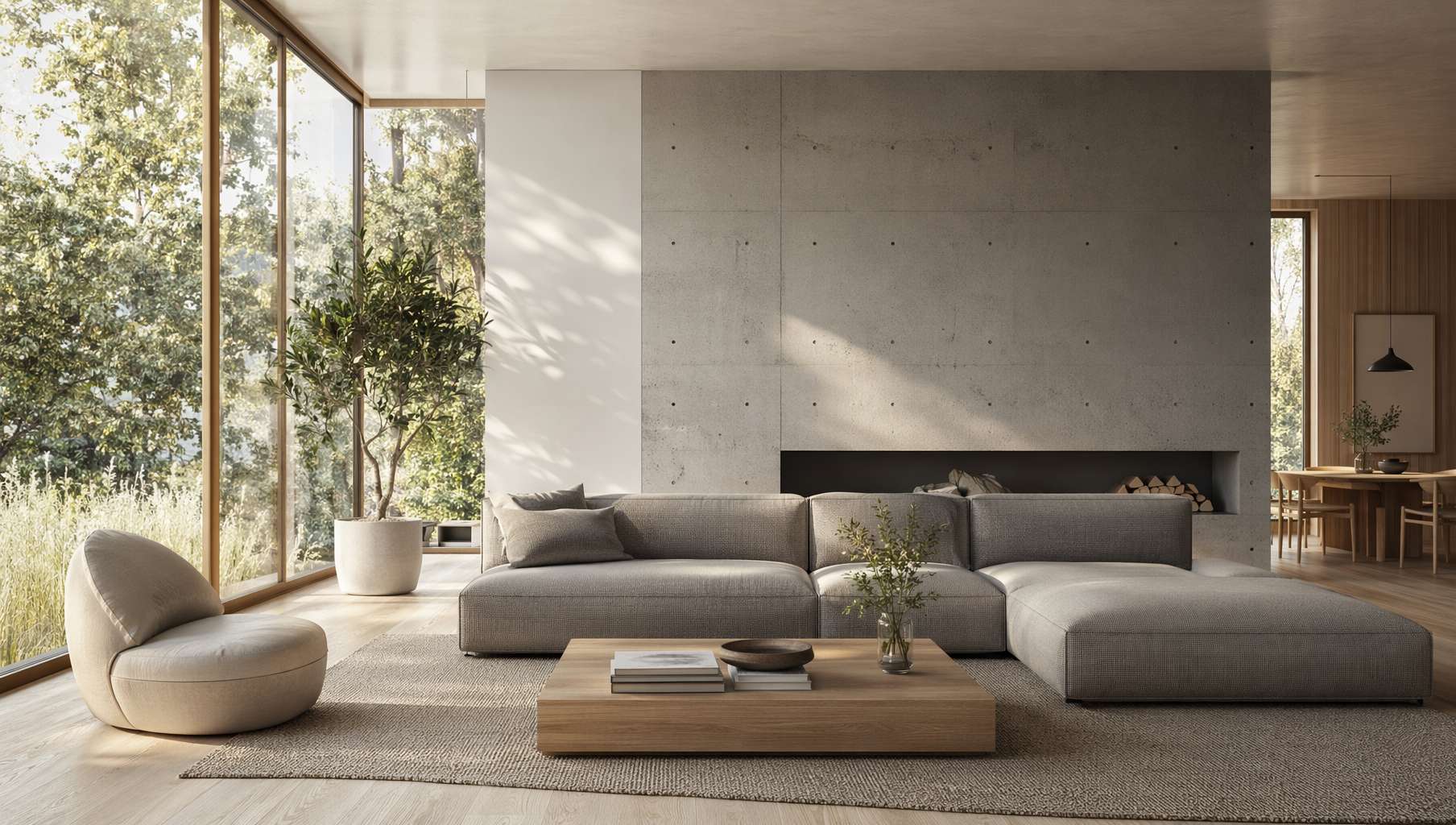 Scandinavian minimalist living room — morning light through floor-to-ceiling windows, white oak floor, concrete accent wall, indoor plants, atmosphere on point
Prompt Template — Residential Interior:
A [style: minimalist Scandinavian / warm Japanese / industrial loft / mid-century modern] [space: living room / bedroom / kitchen / bathroom] interior. [Windows/lighting: floor-to-ceiling windows with soft natural morning light / skylights with dappled sunlight / warm evening lamp light]. [Floor material] flooring, [key furniture description]. [Atmosphere adjectives: serene and airy / cozy and warm / dramatic and moody]. Interior architecture photography, photorealistic, high quality, 16:9 composition.
Lighting selection guide:
natural morning light— fresh, transparent, ideal for residentialwarm afternoon sun— warm, relaxed, ideal for lifestyle scenesgolden hour side light— dramatic, layered, ideal for showing materialssoft overcast daylight— even, realistic, ideal for showing spatial proportions
Commercial Spaces
Hotel lobbies, restaurants, retail — commercial projects need to convey brand identity through renders:
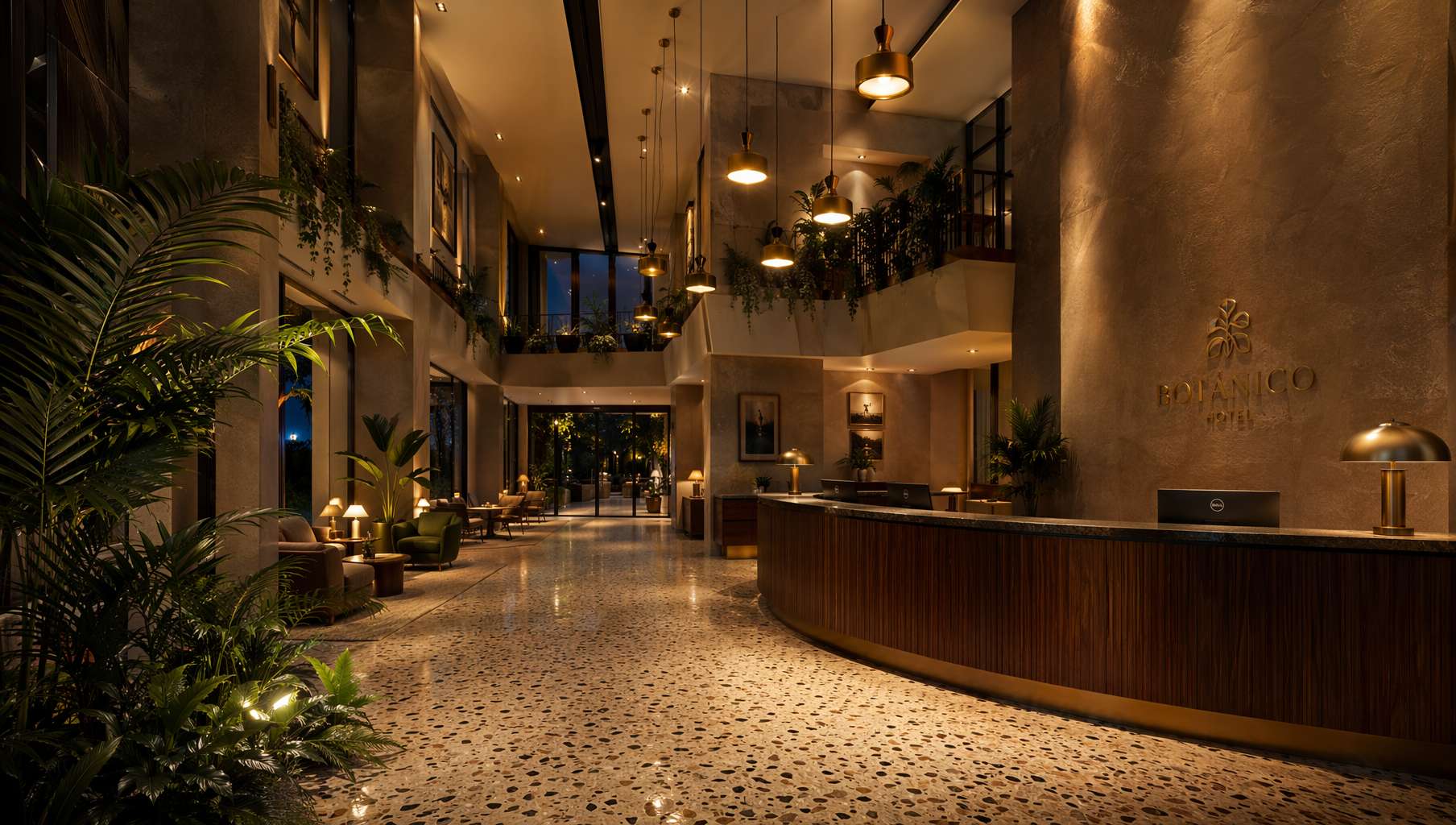 Boutique hotel lobby — double-height ceiling, brass pendants, terrazzo floor, walnut reception desk, warm lighting creating luxury
Prompt Template — Commercial Interior:
A [commercial space type: boutique hotel lobby / fine dining restaurant / flagship retail store / co-working space] with [spatial feature: double-height ceiling / mezzanine level / open atrium]. [Materials: polished terrazzo floor / brass details / dark walnut furniture]. [Lighting: warm brass pendant lights / recessed cove lighting / dramatic spotlight]. [Mood: evening ambiance / bright daytime / moody twilight]. Interior design visualization, photorealistic, high quality, 16:9 composition.
Use cases:
- Concept presentation for design competitions
- Investor/owner presentation decks
- Showing spatial tone to brand clients
3. Material & Mood Boards: A Mood Board in 5 Seconds
During material selection, designers need to see different materials together to evaluate combinations. Traditional approach: borrow samples from suppliers, arrange on a table, photograph. Now:
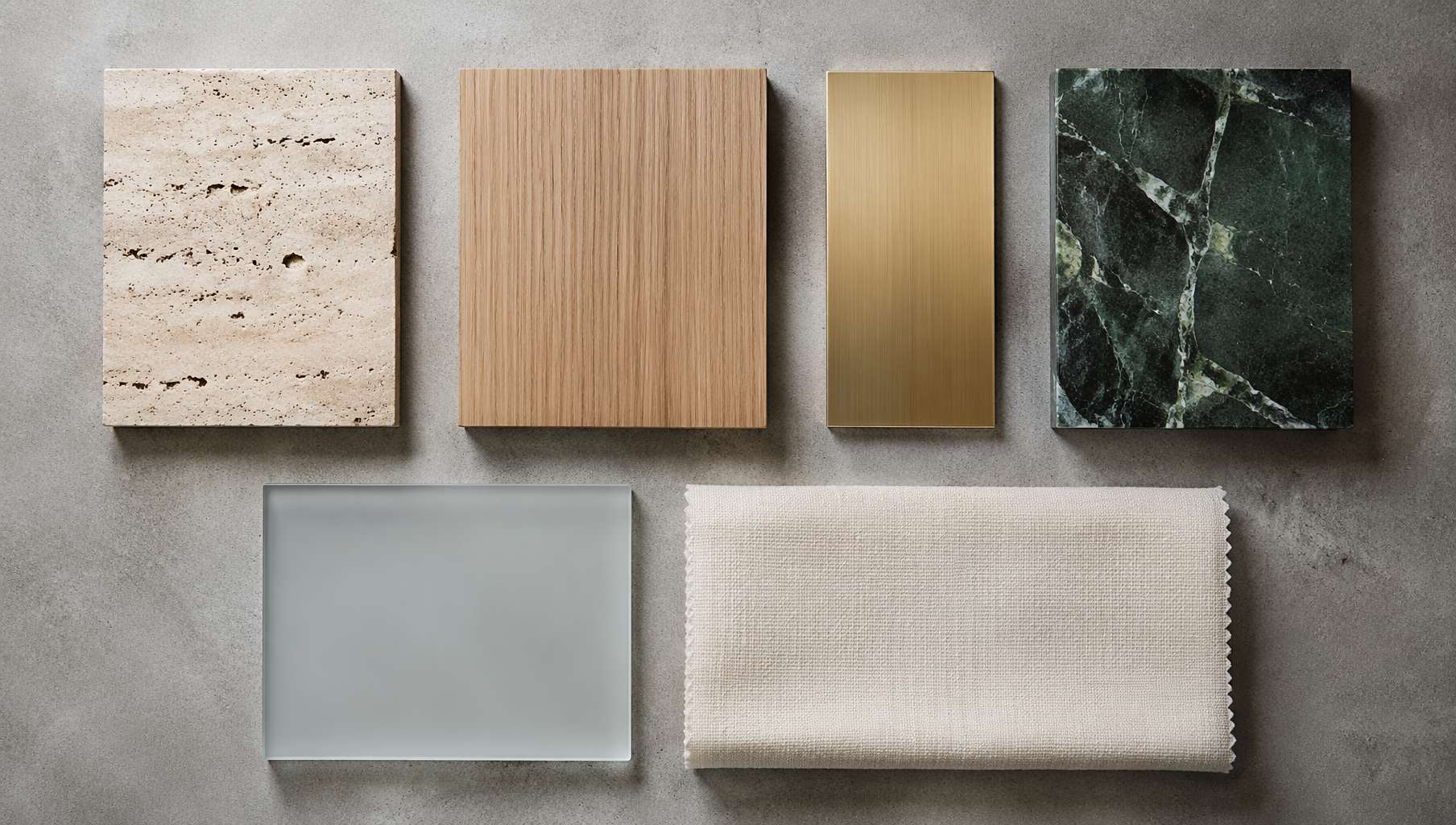 Architectural material board — travertine, white oak, brushed brass, dark green marble, frosted glass, linen, grid layout for clear comparison
Prompt Template — Material Mood Board:
A flat-lay mood board of [number] architectural material samples arranged on a [base surface: grey concrete / white marble / dark slate] surface: [list each material: travertine stone swatch, white oak veneer, brushed brass plate, dark green marble piece, frosted glass sample, cream linen fabric]. Soft overhead studio lighting, organized [arrangement: grid layout / organic scattered arrangement] layout, material palette presentation, photorealistic, high quality, 16:9 composition.
Advanced techniques:
- Color scheme exploration — swap materials for color swatches:
A designer color palette mood board: 5 painted color swatches on thick watercolor paper, colors are [specific color descriptions], arranged in a row on white background, overhead soft lighting, minimal and clean.
- Material + spatial reference:
A concept mood board combining material samples and spatial references: a piece of [material A], a swatch of [material B], next to a small photo of [reference space], all arranged on [base surface], design presentation style.
4. Masterplans & Aerial Views: Quick Visualization for Planning
For urban design, campus planning, and community masterplans, aerial concept views are the most intuitive way to explain spatial relationships to clients:
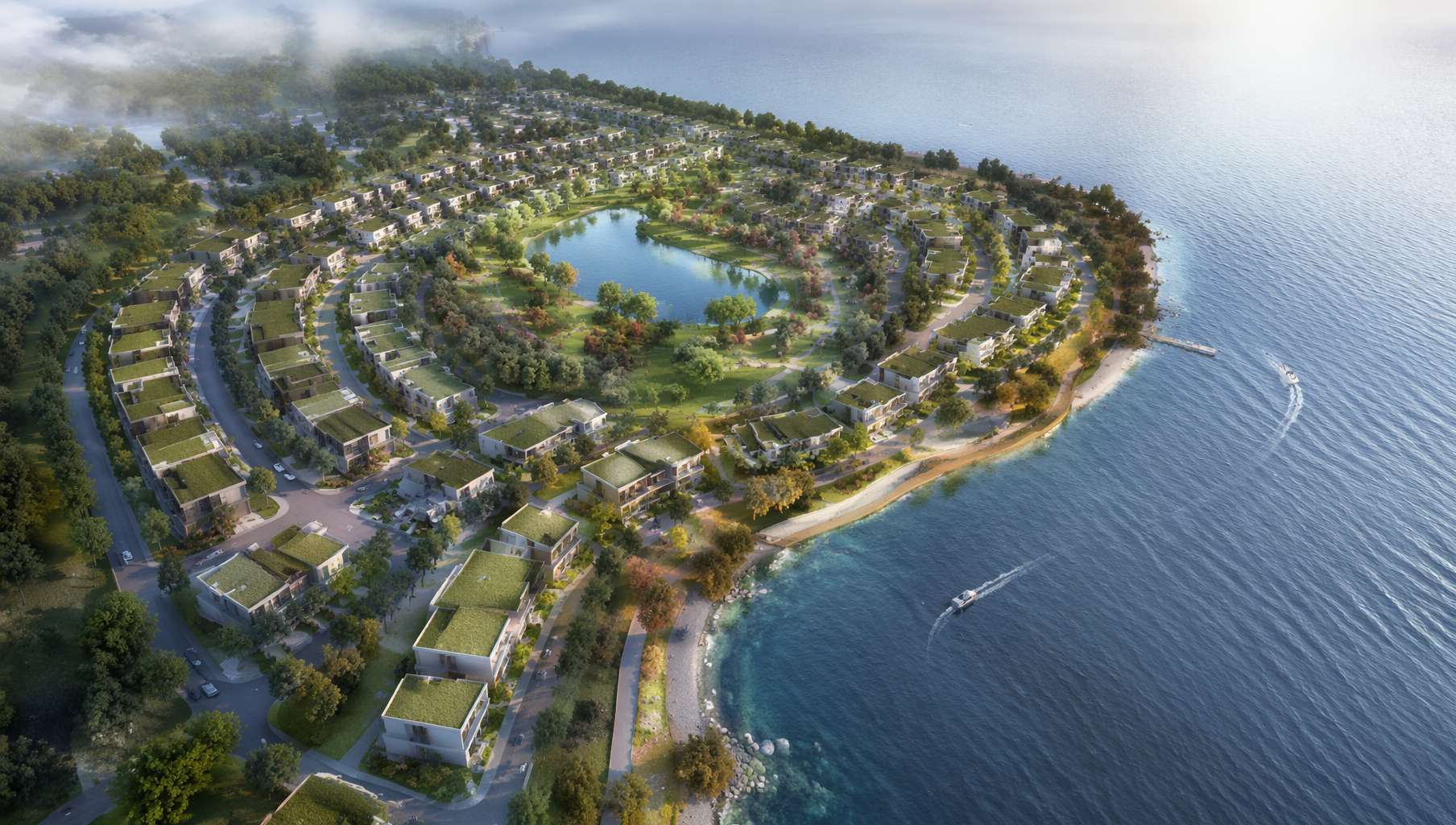 Waterfront community masterplan aerial — coastal layout, green rooftops, central park, pedestrian path network
Prompt Template — Aerial Masterplan:
A birds-eye aerial view of a [project type: waterfront residential community / tech campus / mixed-use urban district / university campus] masterplan. [Layout description: curved streets following coastline / grid-based blocks / radial organization around central plaza]. [Building features: low-rise buildings with green rooftops / tower cluster with podium / courtyard typology]. [Landscape elements: central park / water feature / tree-lined boulevards]. [Lighting: soft morning light / golden afternoon / overcast even light]. Urban planning visualization style, photorealistic, high quality, 16:9 composition.
Prompt Template — Site Analysis Diagram:
An architectural site analysis diagram in [style: clean minimal / hand-drawn sketch / infographic] style. [Site outline] with arrows showing [analysis content: wind direction / sun path / traffic flow / pedestrian circulation / view corridors]. [Color scheme] color coding, clean white background, architectural presentation style.
Use cases:
- Concept pages in competition submissions
- Spatial intent diagrams for planning presentations
- Site analysis visualization in preliminary studies
5. Renovation Before/After: The Most Persuasive Slide in Your Proposal
For adaptive reuse projects, before/after comparison images are the ultimate client convincer:
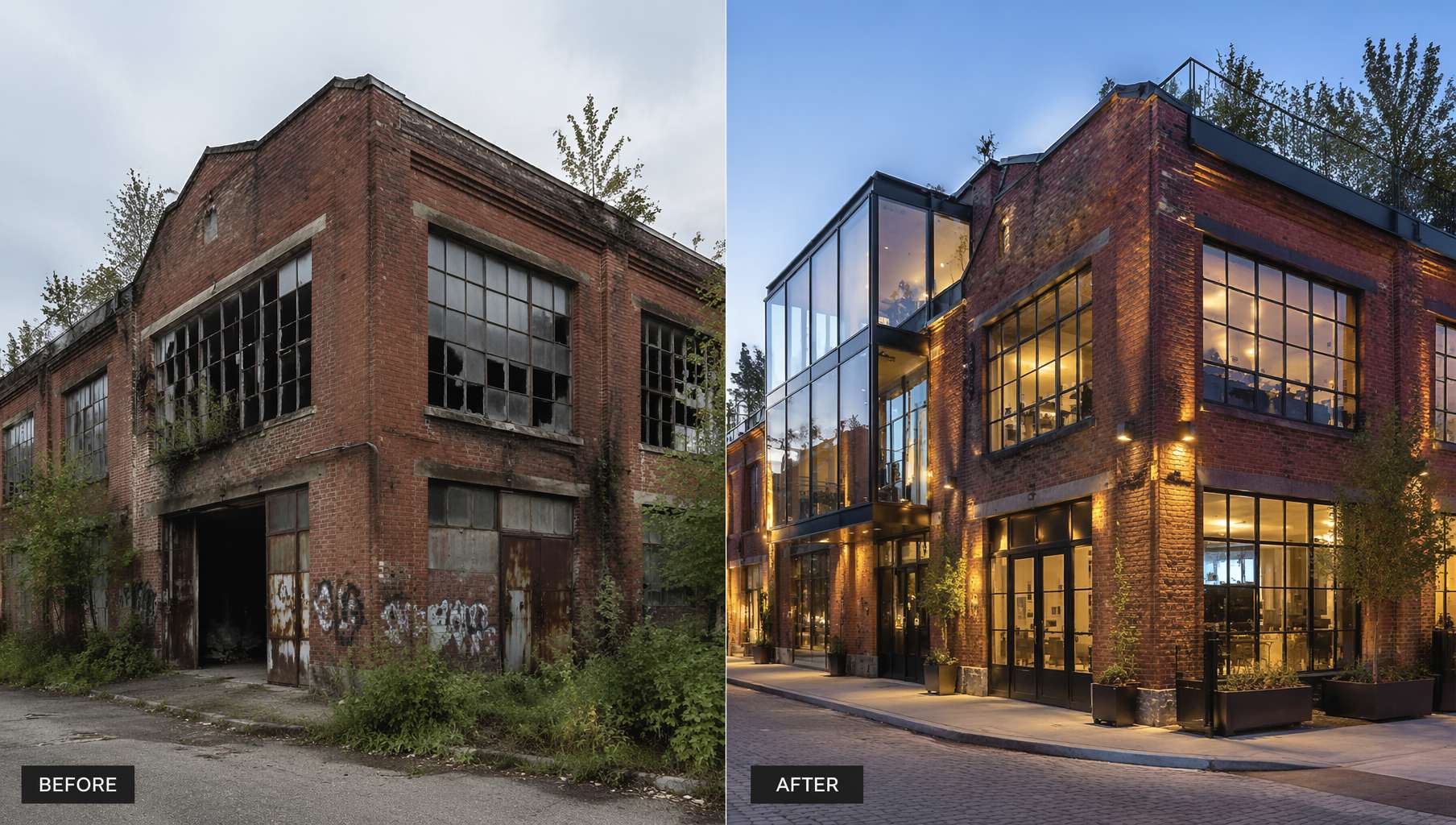 Industrial warehouse renovation — Left: abandoned brick factory; Right: transformed creative office with glass insertions + rooftop garden
Prompt Template — Renovation Before/After:
A split-screen architectural before and after renovation image. Left side: [before state: abandoned [building type] with [decay details: broken windows, overgrown weeds, peeling paint, rusty structure]]. Right side: [after state: same building renovated into [new function] with [design highlights: glass insertions, rooftop garden, restored brick with modern additions, warm interior lighting visible]]. High contrast, clean layout, architectural renovation showcase, photorealistic, high quality, 16:9 composition.
Renovation type keywords:
| Original Building | New Use | Key Description |
|---|---|---|
| Industrial warehouse | Creative office | steel structure preserved, glass box insertion, exposed services |
| Old residence | Boutique guesthouse | restored facade, modern interior visible through original windows |
| Abandoned warehouse | Art gallery | minimal white interior, skylights cut into roof, polished concrete |
| Heritage building | Commercial space | heritage facade preserved, contemporary glass extension at rear |
6. Architect's Prompt Cheat Sheet
| Scenario | Core prompt fragments | Don't forget |
|---|---|---|
| Residential exterior | residential house at golden hour, [material] facade, architectural visualization render | Viewpoint + context (water, plants) |
| Commercial exterior | [building type] with [facade], architectural photography style | Time of day + sky description |
| Residential interior | [style] interior, [lighting] light, [floor] flooring, interior architecture photography | Furniture + atmosphere adjectives |
| Commercial interior | [space type] with [spatial feature], [materials], interior design visualization | Lighting type + brand tone |
| Material board | flat-lay mood board, material samples on [surface], overhead studio lighting, grid layout | List each material by name |
| Aerial masterplan | birds-eye aerial view, [project type] masterplan, urban planning visualization | Layout logic + landscape elements |
| Renovation comparison | split-screen before and after, abandoned [original], renovated into [new function] | Decay details left + design highlights right |
| Site analysis | site analysis diagram, arrows showing [analysis content], architectural presentation | Color coding + legend |
Universal suffix:
photorealistic, high quality, 16:9 composition
For vertical formats (Pinterest / social media):
photorealistic, high quality, 9:16 composition
Final Thoughts
For architects, GPT Image 2 isn't a rendering replacement — it's a thinking accelerator.
V-Ray, Enscape, and Lumion remain the tools for final presentation renders. But in these scenarios, GPT Image 2 is ready to deploy:
- Early concept phase: An idea flashes through your mind — get an intent image in 5 seconds, faster than sketching
- Client communication: Generate different scheme visuals in real-time during meetings based on client feedback
- Competition submissions: Need a dozen concept images to fill a booklet — no need to model and render each one
- Education/portfolio: Architecture students quickly express concepts; professors can see spatial intent
- Material selection: No need to borrow samples — quickly generate visuals of different material combinations
- Social media: Share design ideas with compelling visuals instead of CAD screenshots
Getting started is simple: copy a template above into ChatGPT and replace the [brackets] with your project. A golden-hour concrete house or a blue-hour glass tower — your call.
Resources
- Awesome GPT Image 2 API Prompts — Prompt collection organized by scenario
- EvoLinkAI Prompt Library — Updated daily, includes architectural visualization templates
- awesome-gpt-image — Curated prompts from top creators on X
- OpenAI Official Prompting Guide
Written with pixocto · Images generated by GPT Image 2